Try it first.
Pay only when you're earning.
Try the full KonekOS FREE for 14 days on your own Pi - real portal, real coins, real customers. No payment, no credit card. A gorgeous captive portal + live dashboard in 7 languages (English + 6 Philippine), with more on the way.
2 live demos, no install - customer portal · operator dashboard (demo PIN 1234)
Full features. No card. Buy only when you're ready. · Lifetime license · No monthly fees
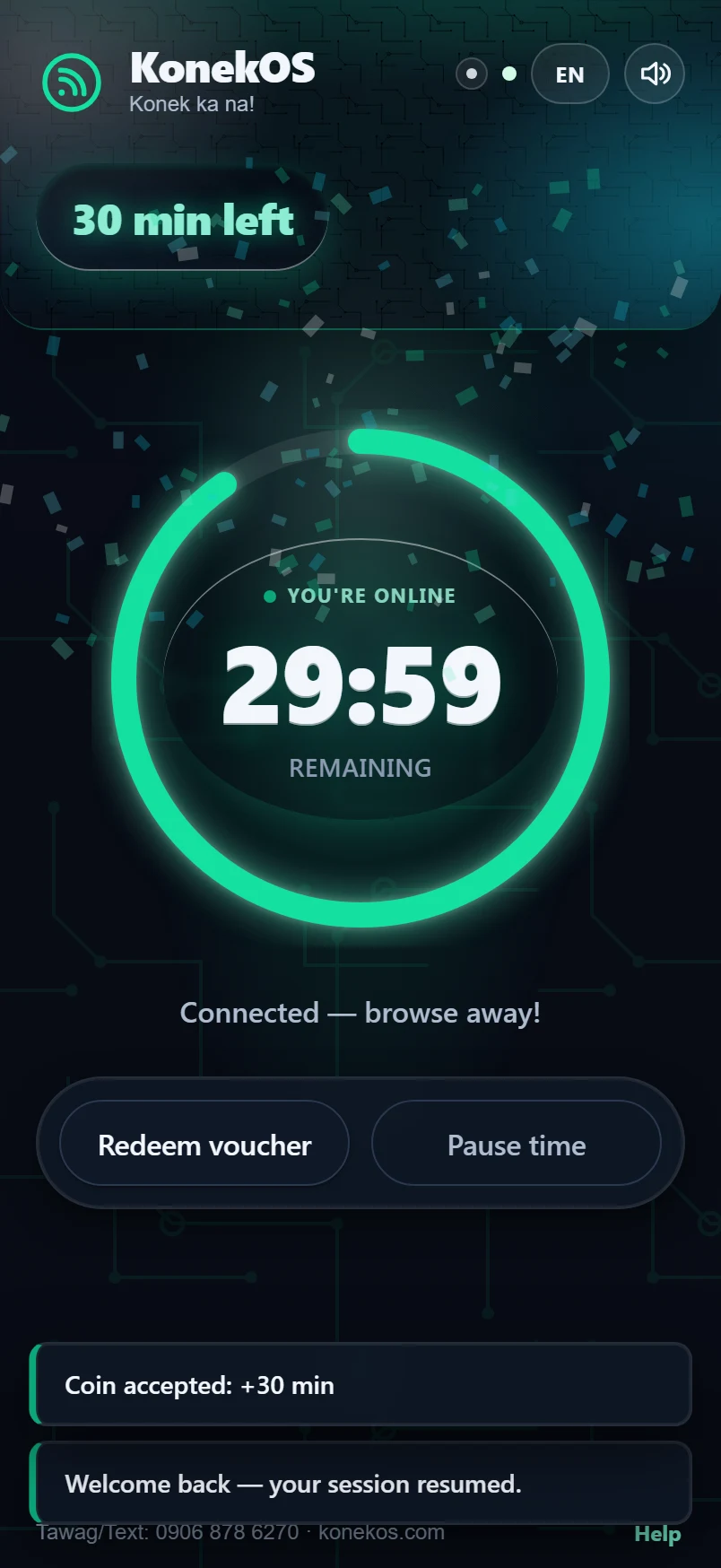
↓ A real KonekOS component, running live on this page - the meter your customers see
Your free 14-day trial - how it works
Three ways to try, zero risk: the live demo is instant in your browser, the desktop demo ISO boots a full KonekOS desktop on any spare 64-bit PC (or in VirtualBox), and the free trial runs the real thing on your own board - no card, nothing auto-charges.
Download your image
Free, no card - grab it now: Raspberry Pi · Pi Zero / Pi 1 · Orange Pi Zero 3 · Orange Pi Zero (H3) · x86 mini-PC / NUC.
Flash & boot
Flash it to an SD card and boot. The guided wizard sets your language, brand and PIN.
Run it for real - 14 days
Real portal, real coins, real customers. Only pay ₱699 if you decide to keep it.
Direct downloads - free, no sign-up: Pi 3/4 & Zero 2 W · Pi Zero / Zero W / Pi 1 · Orange Pi Zero 3 · Orange Pi Zero (H3) · x86 mini-PC / NUC · desktop demo ISO (~1.5 GB). Every file has a matching .sha256 checksum. Techie shortcut: a board already running Armbian or Raspberry Pi OS becomes a vendo with one command - curl -fsSL https://konekos.com/install | sudo bash (original Pi Zero / Pi 1: use their image above).
No card, nothing auto-charges. Stuck anywhere? Text 0906 878 6270 - a real person walks you through it.
Your investment pays back fast.
A decent spot earns ₱150 - ₱300 a day in coins. At just ₱150/day, KonekOS pays for itself in ~5 days - then it's pure profit, forever. No monthly fees, no cut of your earnings.
Lifetime license. Once paid, 100% of the coins are yours. (Based on Solo ₱699 launch price.)
How much can you really earn?
Honest estimates - we won't promise you numbers. What you make depends on your location, foot traffic and hours. Here's a realistic picture, in daily coins.
These are estimates, not guarantees, and your results will vary. What IS fixed: KonekOS is a one-time ₱699 and takes zero cut of your coins - 100% of what you earn is yours. The honest way to find your real number is the free 14-day trial: run it in your actual spot and count the coins before you decide.
How it works
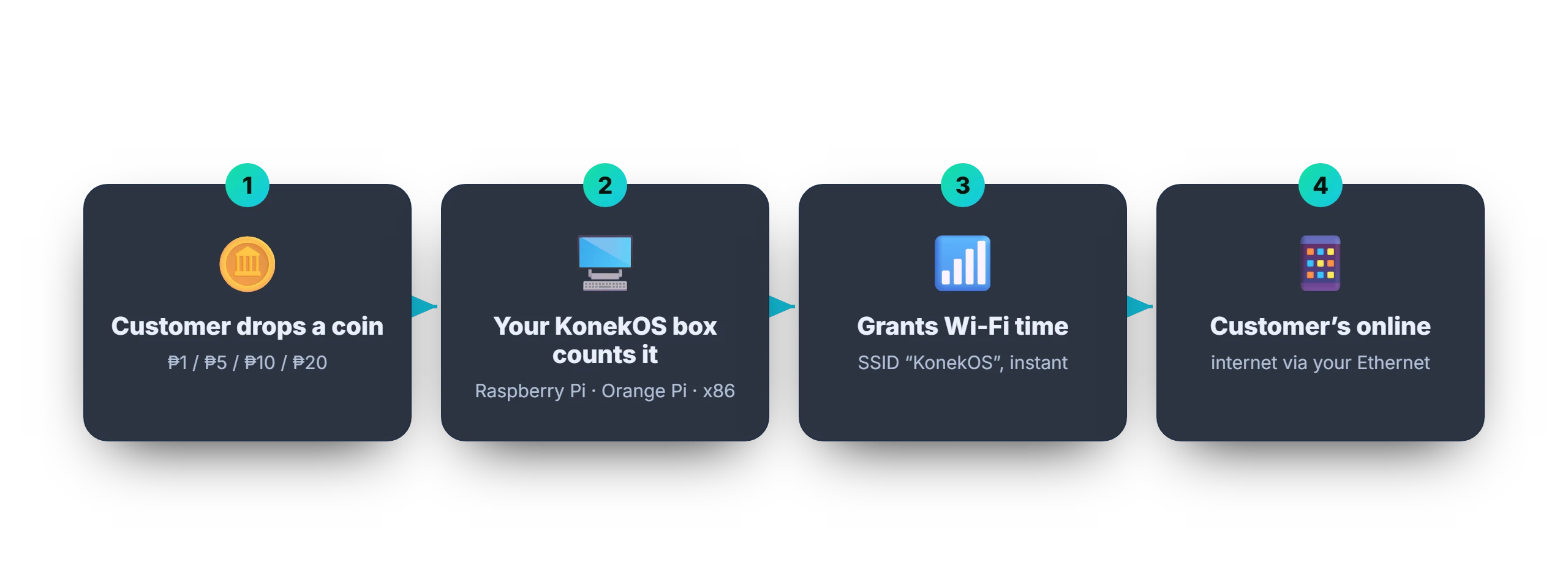
Coin in, WiFi out - automatic. Runs on a Raspberry Pi, Orange Pi, or an x86 mini-PC / NUC.
What you need to start
Straight talk: KonekOS is ₱699 - but you also need a small computer and a coin slot. Here's the honest total, and how fast it pays back.
KonekOS
₱699 once - lifetime, all device images, no monthly.
A small computer
Raspberry Pi Zero 2 W ≈ ₱1,300 - or an old PC/laptop you already have = ₱0.
Coin acceptor
A CH-926 / JY-926 multi-coin slot ≈ ₱500 (Lazada/Shopee).
microSD card
16 GB or bigger ≈ ₱250. That's the whole shopping list.
≈ ₱2,500 - ₱3,000 to start
Less if you reuse an old PC. At ₱150 - ₱300/day in coins, your whole setup pays back in about 2 - 4 weeks - then 100% of the coins are yours, forever. No command line: a guided wizard does the setup, and we help you over text.
Prices are typical PH estimates and vary by seller. Not sure what to buy? Text 0906 878 6270 - we'll help you pick.
Which box should I buy?
Any of these runs KonekOS great - every image is included in your one ₱699 license. Pick by budget and how busy your spot is. Coins wire to GPIO on the Pi / Orange Pi boards, or a USB coin acceptor on x86.
Raspberry Pi Zero 2 W
- Best for a small home / sari-sari spot
- Coins: GPIO (direct wire)
- Tiny & sips power - pairs great with a power bank
Raspberry Pi 4
- Best for a busier spot, more phones at once
- Coins: GPIO (direct wire)
- Faster CPU + more RAM for heavy nights
Orange Pi Zero 3
- Cheapest capable board - quad-core H618
- Coins: GPIO (direct wire)
- Great if a Pi is out of stock or pricey
Old PC / laptop / Intel NUC
- Best if you already own an x86 machine
- Coins: CH-926 + USB-serial bridge (no GPIO needed)
- Most powerful, but uses more electricity
Prices vary by seller. Already own a different board? Any Orange Pi running Armbian works via our one-command installer - and boards without WiFi (like the Orange Pi One) just pair with any cheap router in access-point mode. Still not sure? Text 0906 878 6270 with your spot and budget and we'll tell you exactly what to buy.
Everything to run a Piso WiFi business
One image to flash. No subscriptions, no cloud lock-in, no monthly fees.
Coin-operated vending
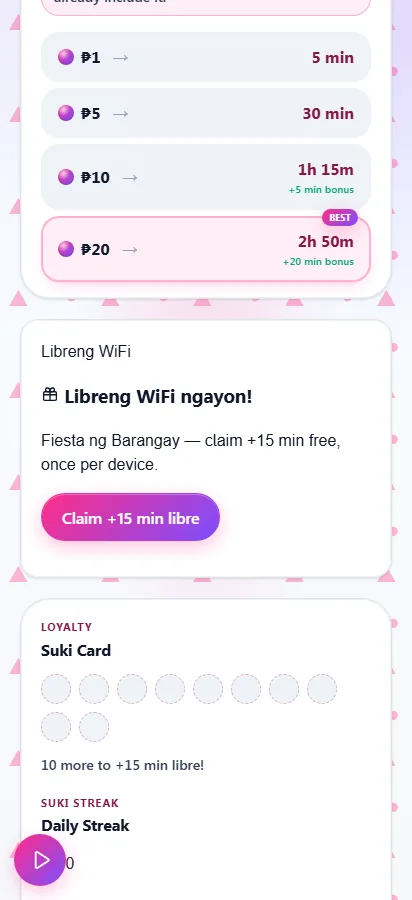
Wire up a coin acceptor and customers drop ₱1/5/10/20 for internet time. GPIO and USB-serial acceptors - the USB slot auto-reconnects, coin config is validated, and any coin the box can't match to a phone is banked on disk for you to reassign instead of vanishing.
Beautiful captive portal
A fast, modern, tech-styled portal customers actually enjoy. Insert a coin, watch the timer, browse away.
Operator dashboard
Live earnings, active clients, vouchers, rates and reports - manage everything from your phone.
9 brand themes
Make it yours. Re-skin the entire portal in one tap - your colours, your shop name.
7 languages - English + 6 Philippine
English, Tagalog, Cebuano, Ilocano, Hiligaynon, Bikol and Waray - your customers feel right at home in their own language.
Licensed & protected
A signed, offline-verifiable lifetime license - optionally device-bound - so your investment stays yours.
Vouchers & pause
Print voucher codes for promos, and let customers pause unused time and resume later - plus a smart auto-pause that freezes an idle timer so no one burns paid minutes doing nothing, still in beta and off by default.
Runs anywhere
Raspberry Pi 3 / 4 / Zero 2 W, the original Pi Zero and Pi 1, Orange Pi Zero 3 and x86 mini-PCs / Intel NUC - pick the image, flash, boot. (Pi 5: no coin input yet.) Any other Orange Pi on Armbian? One command installs it - no re-flash.
Offline-first
No internet needed to run. Everything lives on the box - fast, private, dependable.
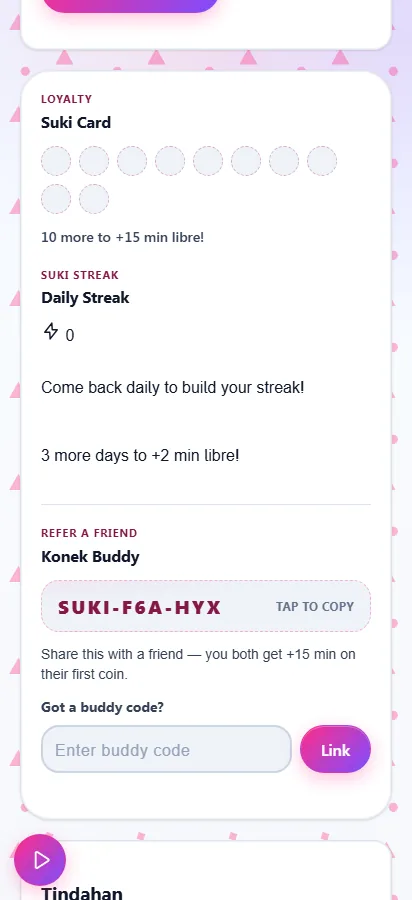
Suki Loyalty & Konek Buddy
Optional stamp card gives regulars free minutes, and every box gets a referral code - refer a friend and you both win. Off by default; switch it on when you want it.
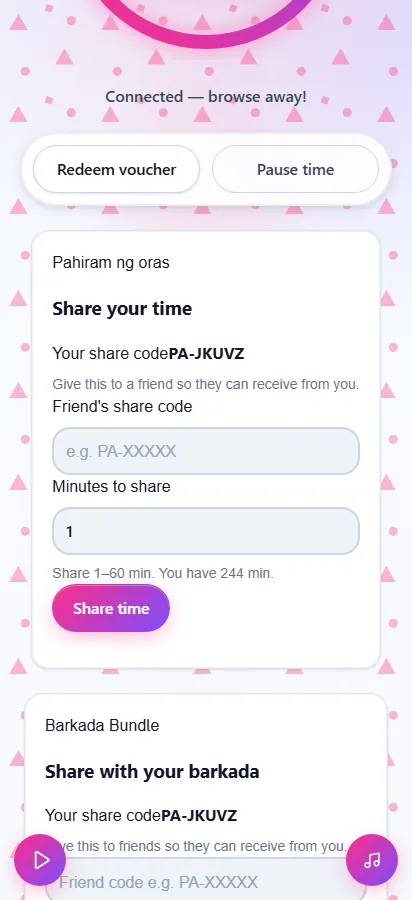
Pahiram ng oras - share time
Customers can gift spare minutes to a friend's device, or to a whole barkada at once. Time is moved atomically - never created or lost. Still in beta: it ships off by default until it's proven on real boxes in the field.
Anti-theft cashbox
Reconcile every coin against the cash you actually count, with live tamper & jam alerts - reject storms, rapid-fire, an offline acceptor - so shrinkage and a dodgy helper can't quietly cost you.
Konek Time Capsule
Schedule libreng-WiFi community events - free minutes for a fiesta or a slow afternoon - capped and one-time-per-device. Off by default; a goodwill draw when you want it.
Konek Print - bayad-print
Customers pay from the load already on their phone to print a document - no cash, no counter. Every file is scrubbed to a safe PDF and charged per page; you approve each job (or auto-print), and any reject or misprint refunds to the second. Still in beta: it ships off by default until it's proven on real boxes in the field.
Konek Aklatan - portal library
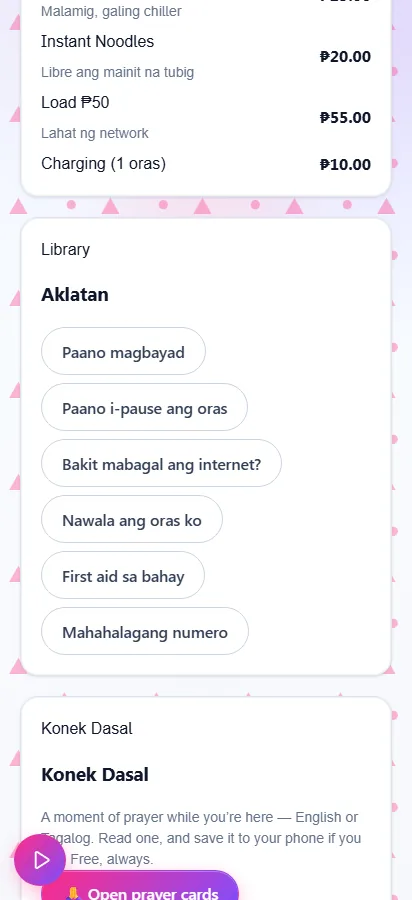
Post your shop info, how-to-pay, promos and FAQs to a little in-portal library customers can read without spending a single paid minute. Display-only - no time burned. Off by default; switch it on when you want it.
Konek Laro - portal arcade
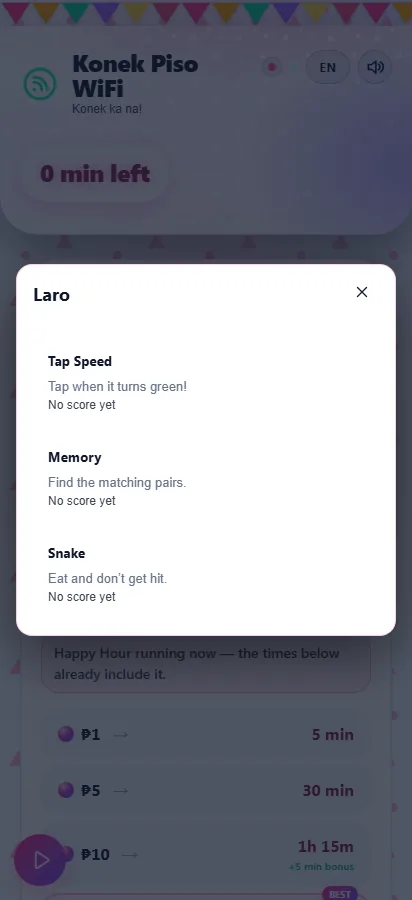
Three tiny offline games - reaction tap, memory match and snake - right in the portal to keep customers parked and smiling. Pure fun: no time granted, nothing uploaded. Off by default; switch it on when you want it.
Konek Radyo - one-tap announcements
Broadcast a short message - "closing at 9," "promo today" - to every connected phone at once as a tidy, dismissible banner, with an optional spoken read-out. On by default - switch it off in Settings if you don't want it.
Konek Selfie - branded keepsake
One tap wraps the customer's camera in a frame with your shop name - a fun photo they can save and share. Everything stays on their phone; nothing is ever uploaded. Off by default; switch it on when you want it.
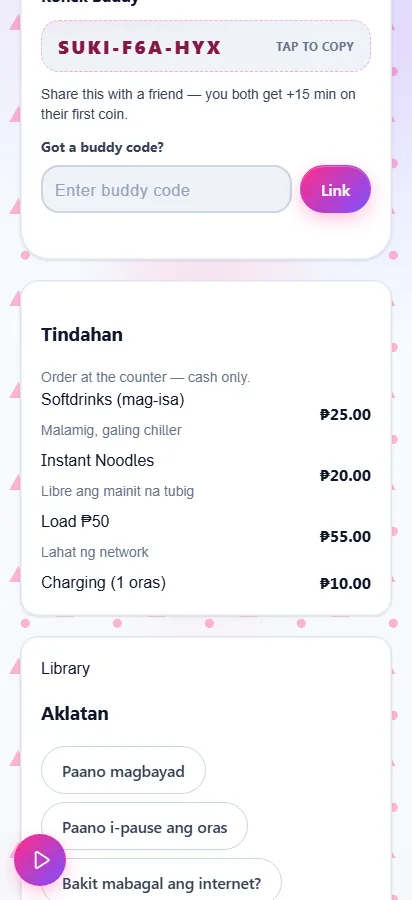
Tindahan - your sari-sari menu
Show your own snacks, load and goods right on the portal. It's a display list, not ads - no online payment, customers just order at the counter. Off by default; switch it on when you want it.
Insights - earnings intelligence
Your box reads its own sales and shows your busiest hours, best days and where the trend is heading - plus a what-if pricing coach that projects a rate change before you make it. Read-only; it never touches a peso.
Living mascots
A cute portal character that reacts to the action - bounces and says "Salamat!" on a coin, sparkles on a bonus, looks worried when time runs low, and answers a tap with a wiggle and a line of its own. On by default, and each theme brings its own character.
Phone alerts - Telegram
Point the box at your own Telegram bot and get a phone ping when something needs you, plus an optional heartbeat that warns you if the box drops offline. Per-operator, zero hosting, never any customer data. Off by default; switch it on when you want it.
Remote access - RustDesk built in
Reach and fix your box from anywhere - no port-forward, no static IP. Copy its RustDesk ID from the dashboard, set your own password, and you're in from your phone across town.
Reliability - Sentinel & Flight Recorder
SD-Card Sentinel watches for the silent card wear that quietly stops a box saving sales, while the Flight Recorder catches power-loss reboots - so an unattended box warns you before trouble, not after.
Konek Dasal - prayer cards
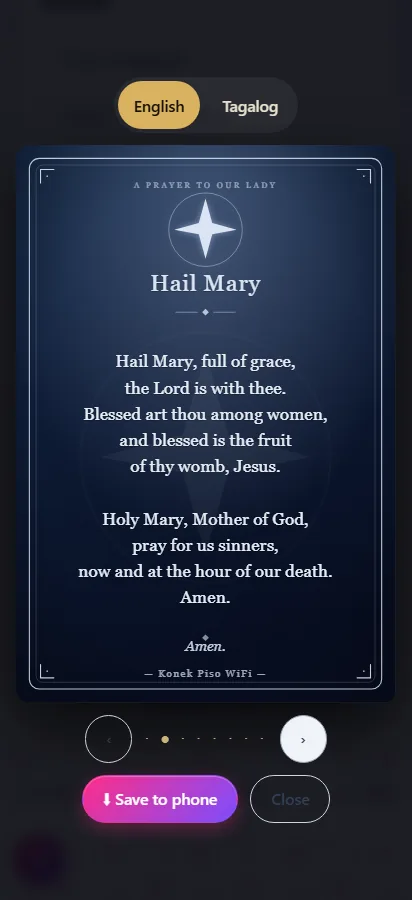
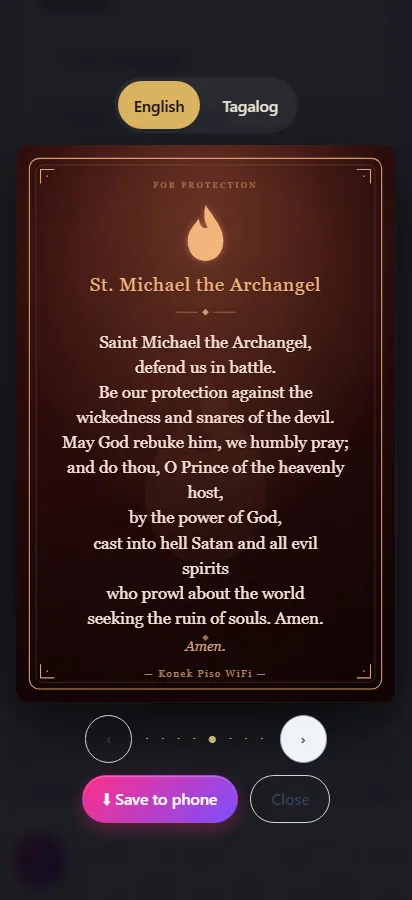
A quiet, free set of beautiful prayer cards on the portal - traditional prayers in English or Tagalog your customers can read and save to their phone, even before paying. Original artwork, no ads, walang bayad. Off by default; switch it on when you want it.
See the complete feature list - 80+ features, all included ↓
See it in action
Real screens - the customer portal, the operator console, the first-run setup.
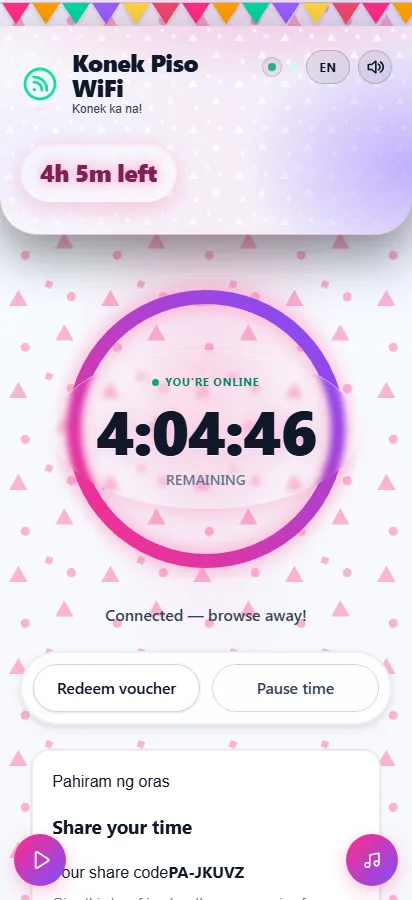
A portal customers love
Dark, glassy, tech-modern. The countdown ring, instant coin feedback and one-tap language switching make buying WiFi feel premium - on any phone.
Run it from your phone
The operator console shows today's earnings, who's online, the coin slot, vouchers and reports - live, wherever you are.
▶ Try the operator dashboard - demo PIN 1234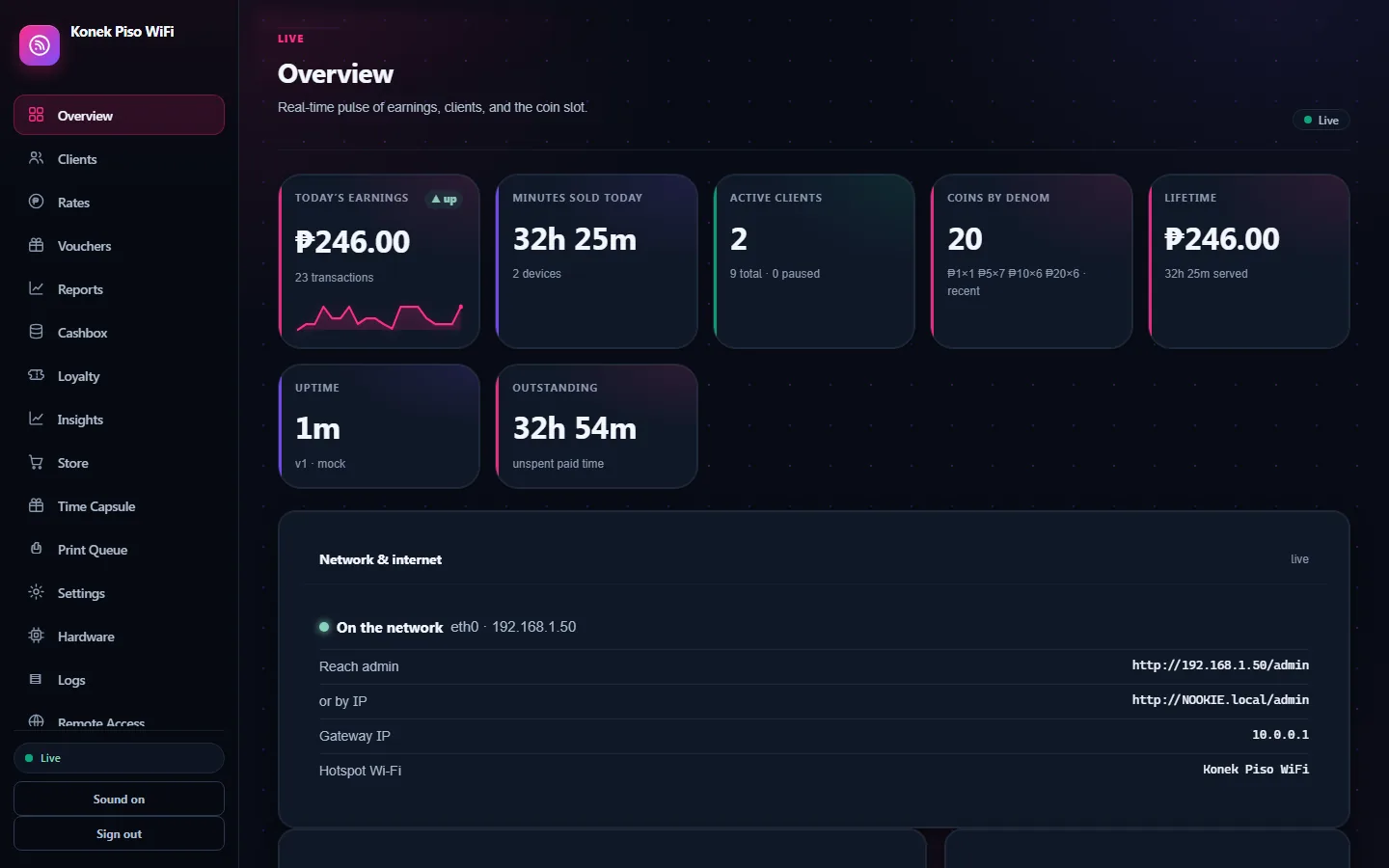
Up and running in minutes
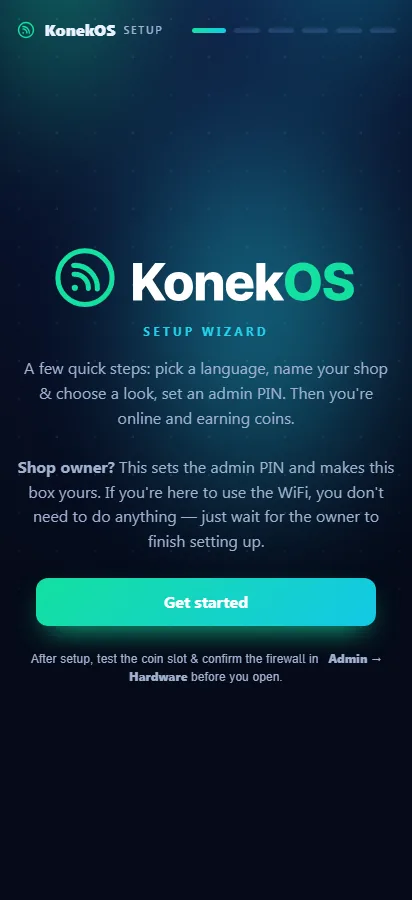
A friendly first-run wizard walks you through language, brand, PIN and activation. Flash, boot, set up - and you're earning.
Every screen, live
Not mock-ups. Every image below was captured from a running KonekOS box with real data - coins pushed through the same pipeline your customers will use.
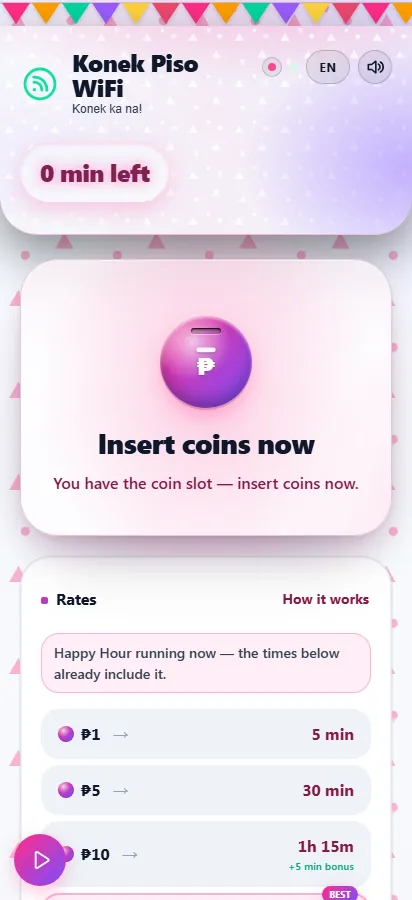
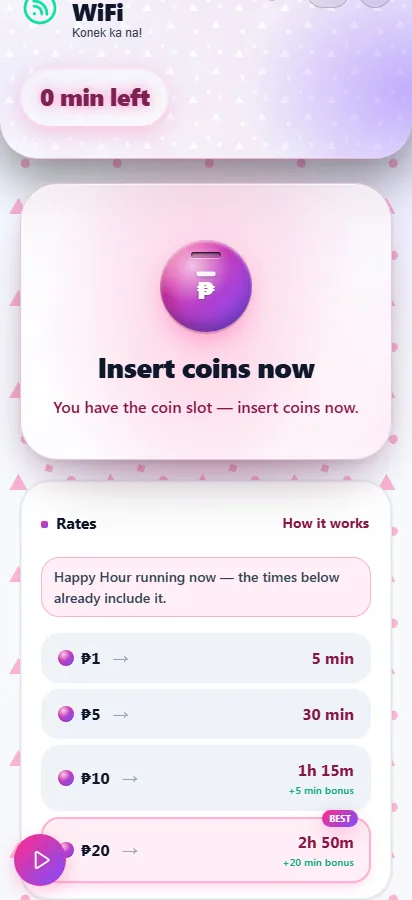
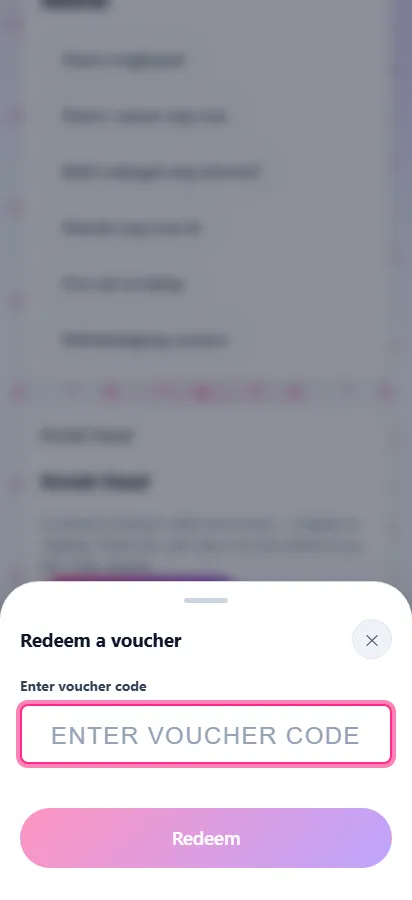
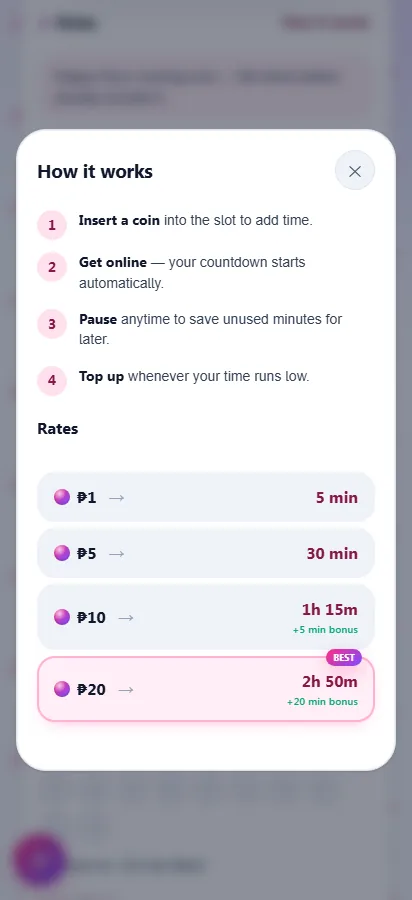
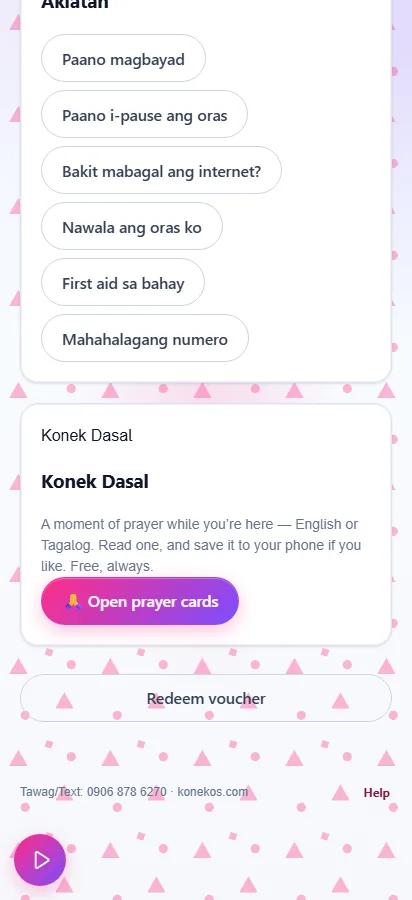
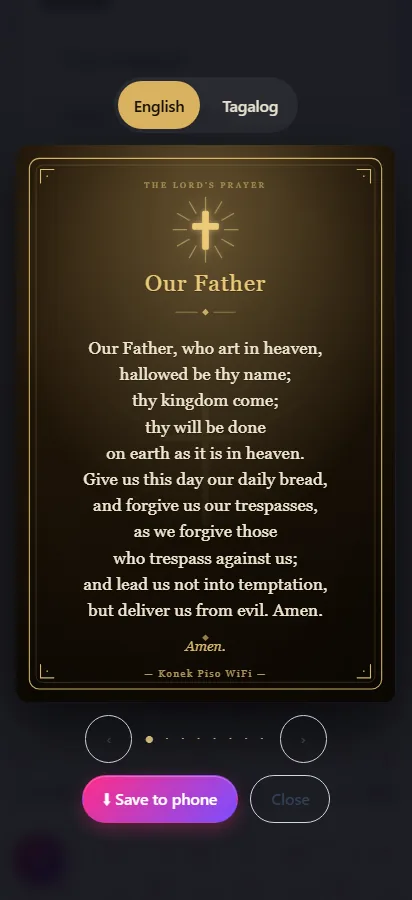
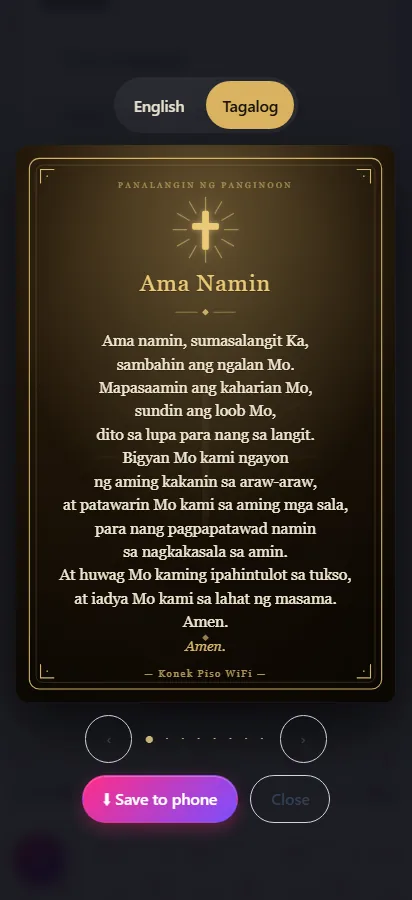
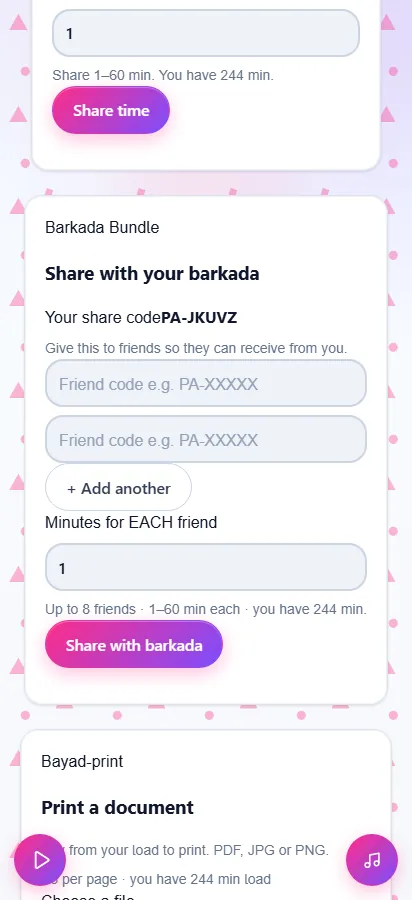
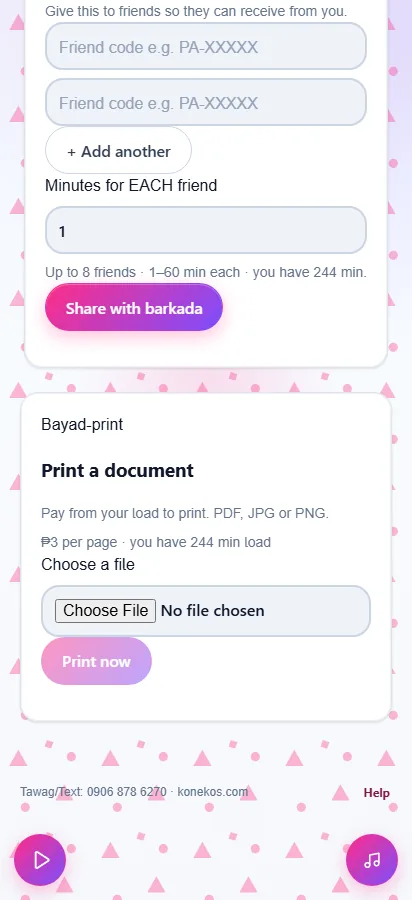
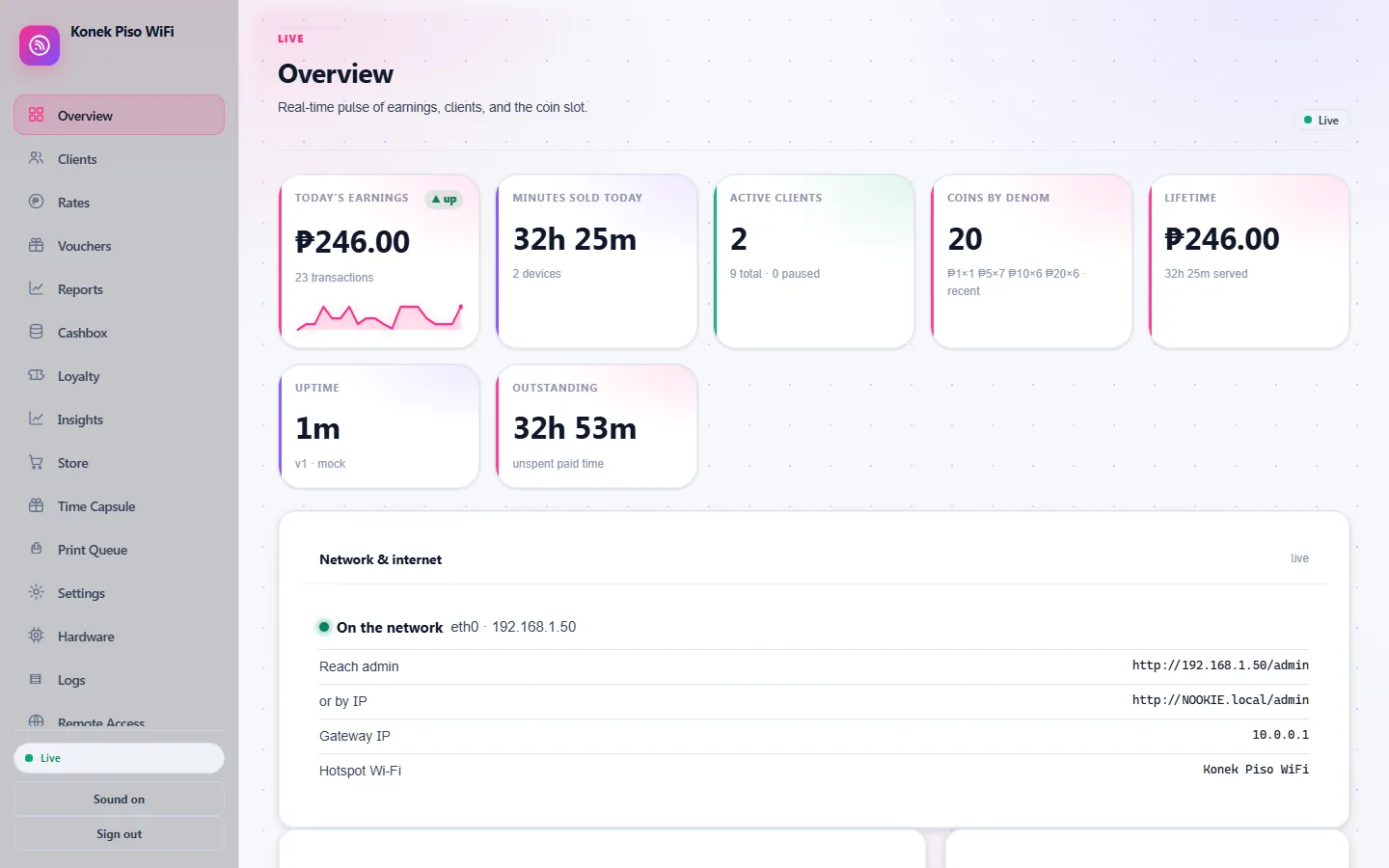
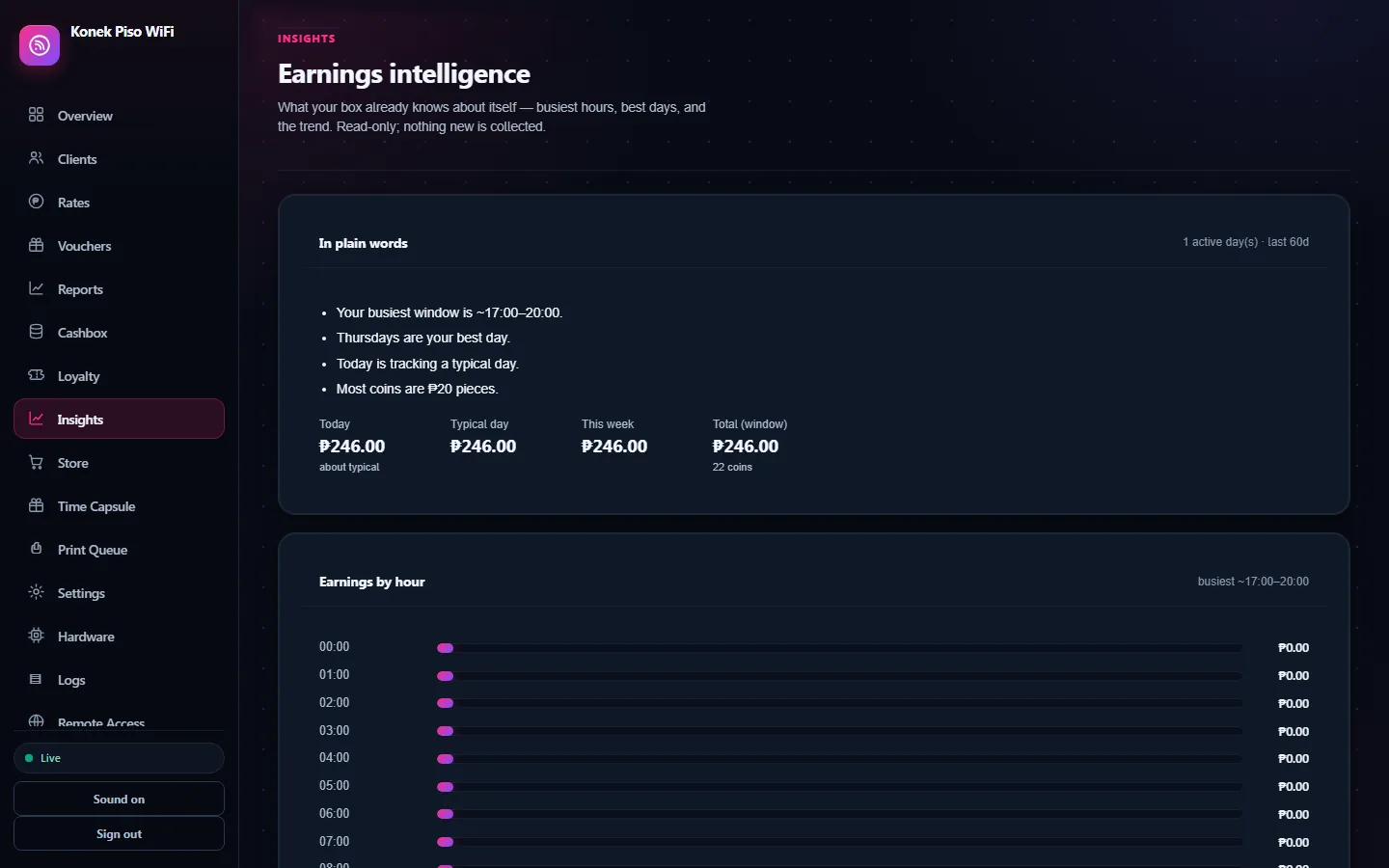
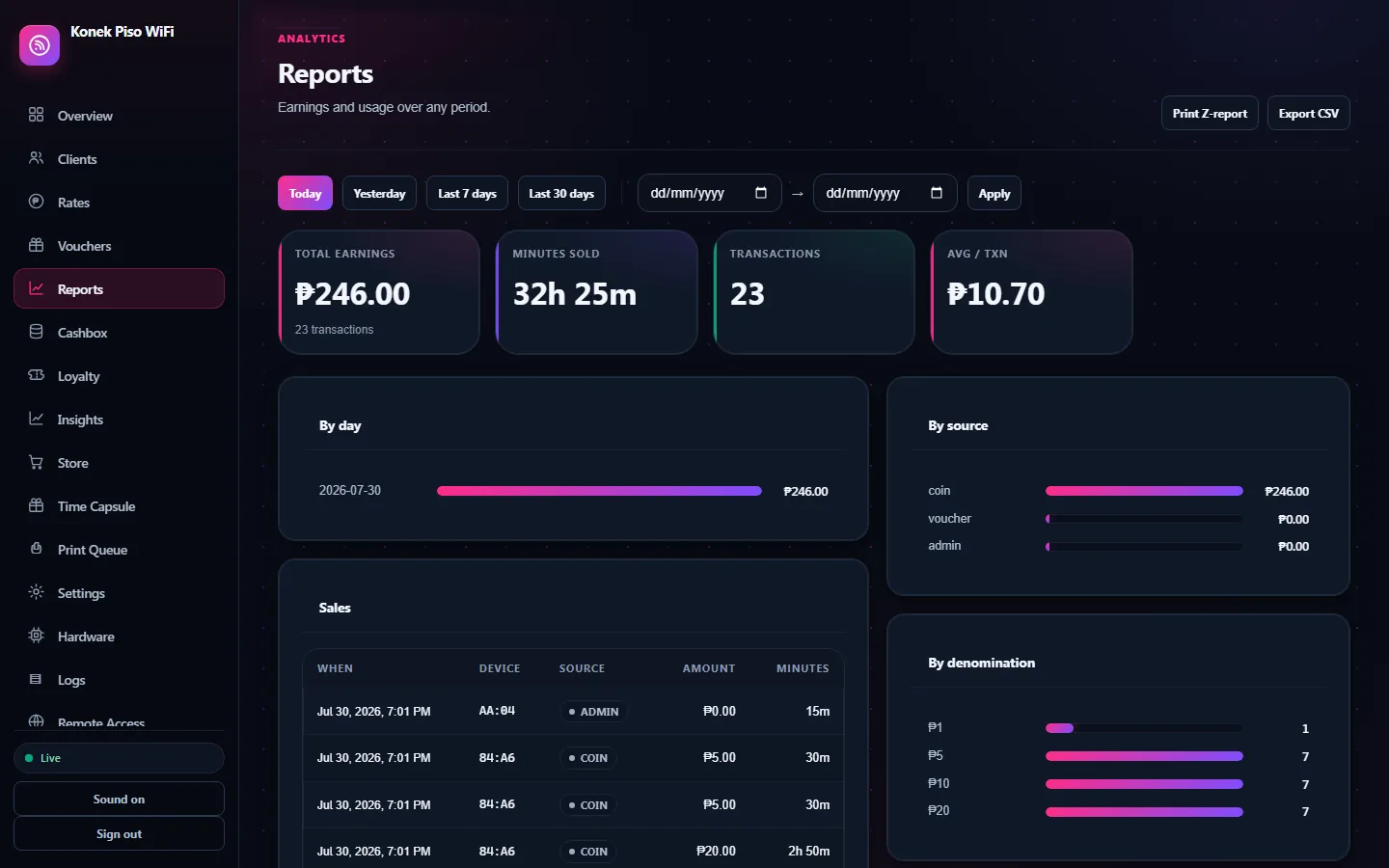
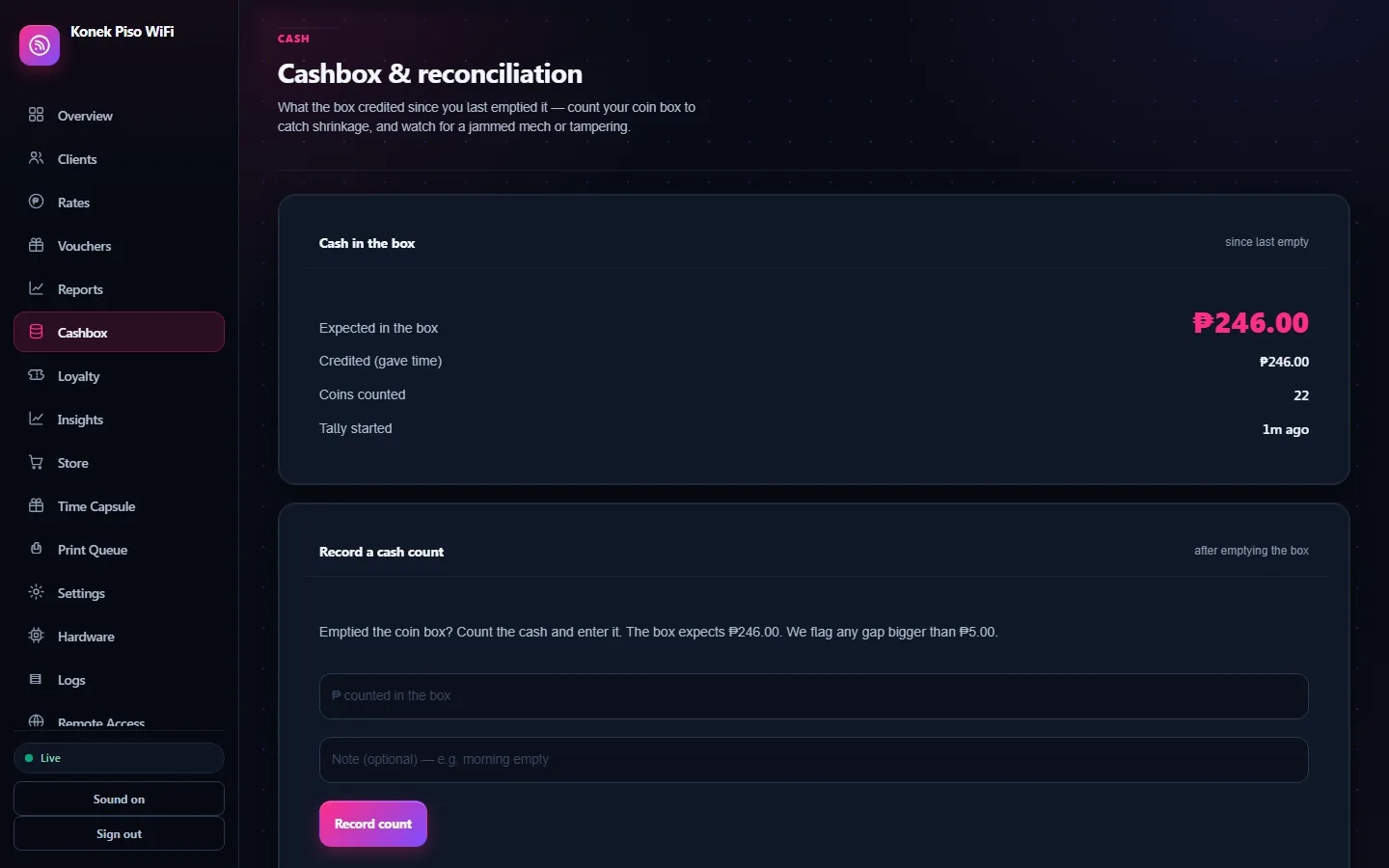
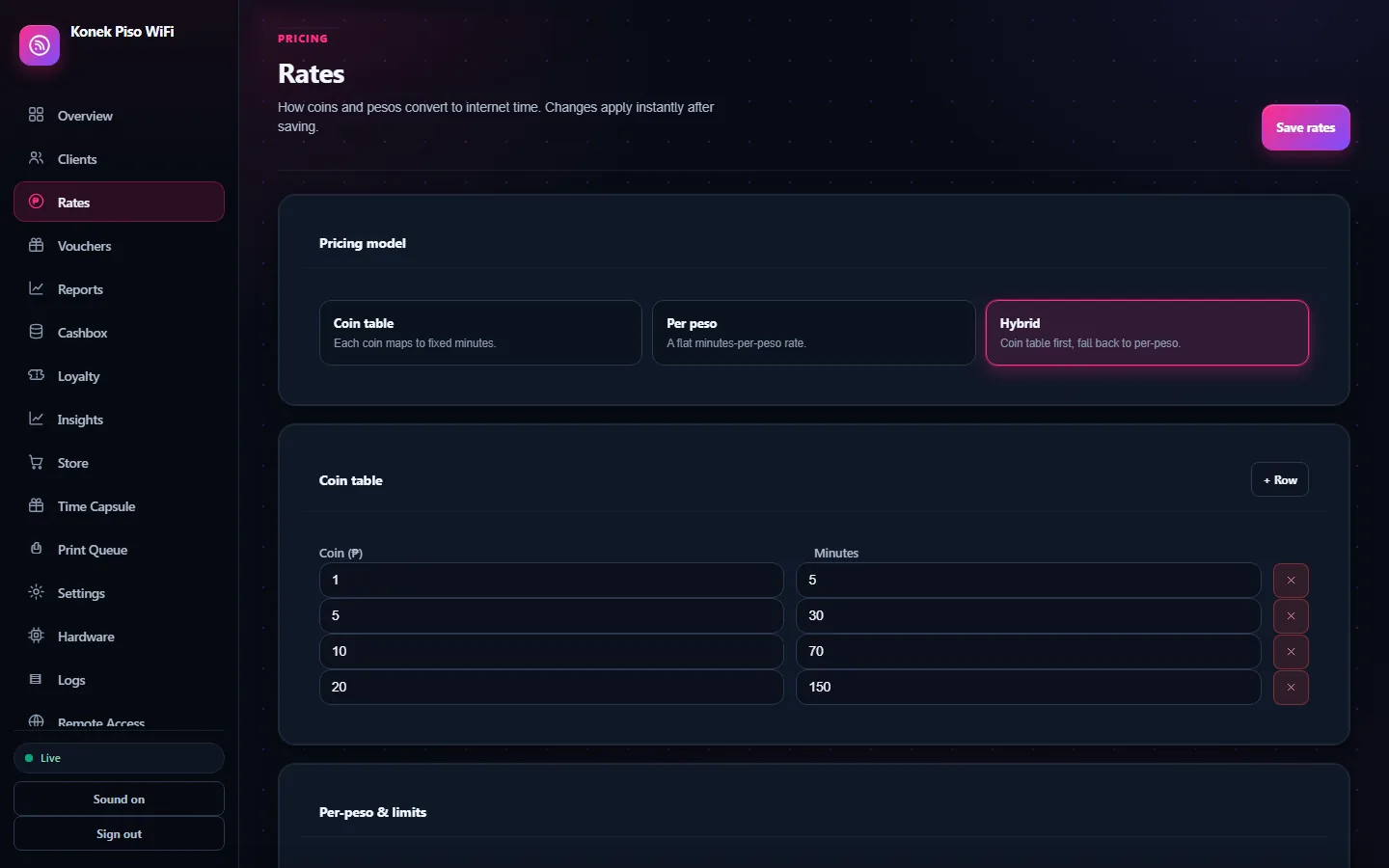
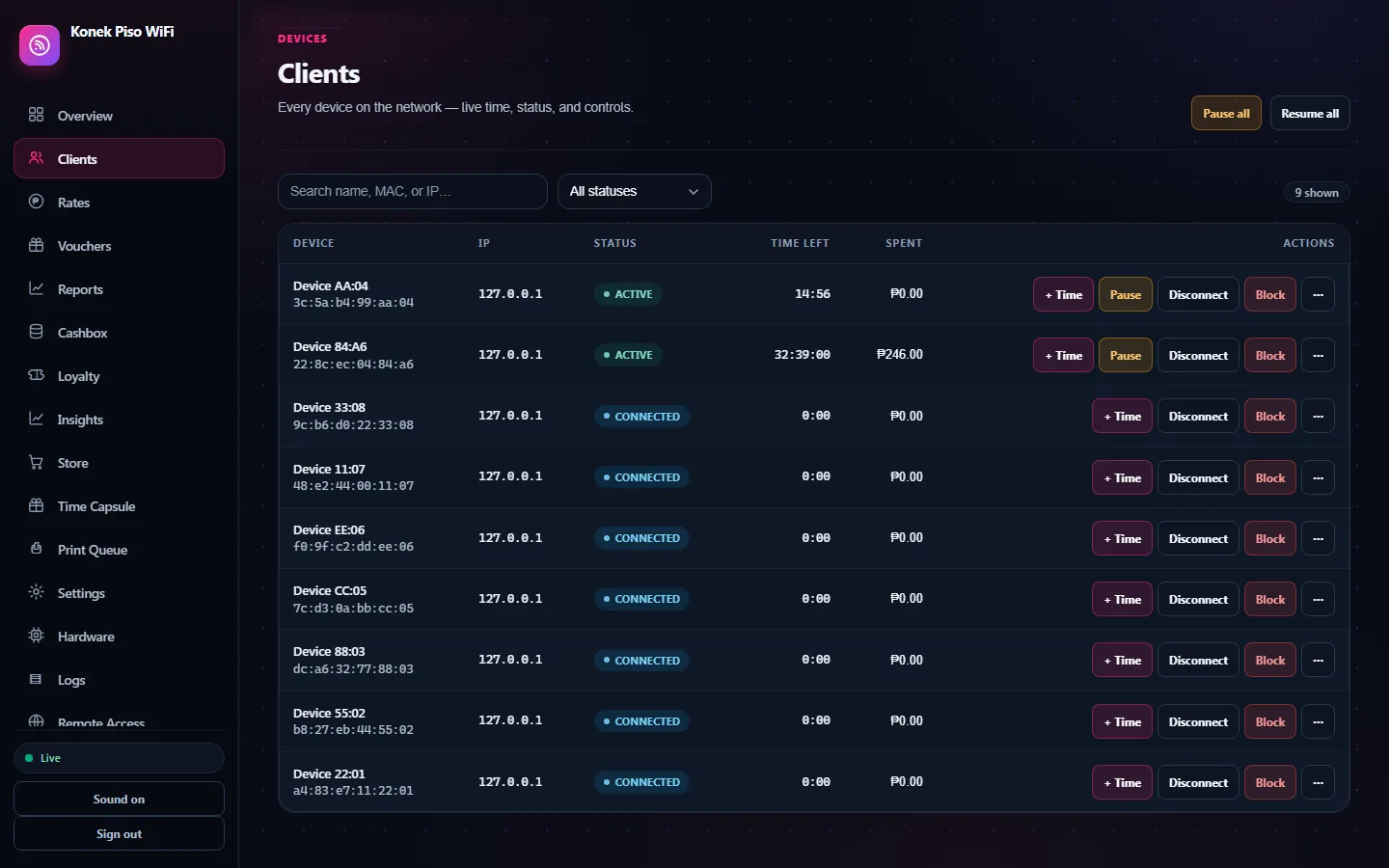
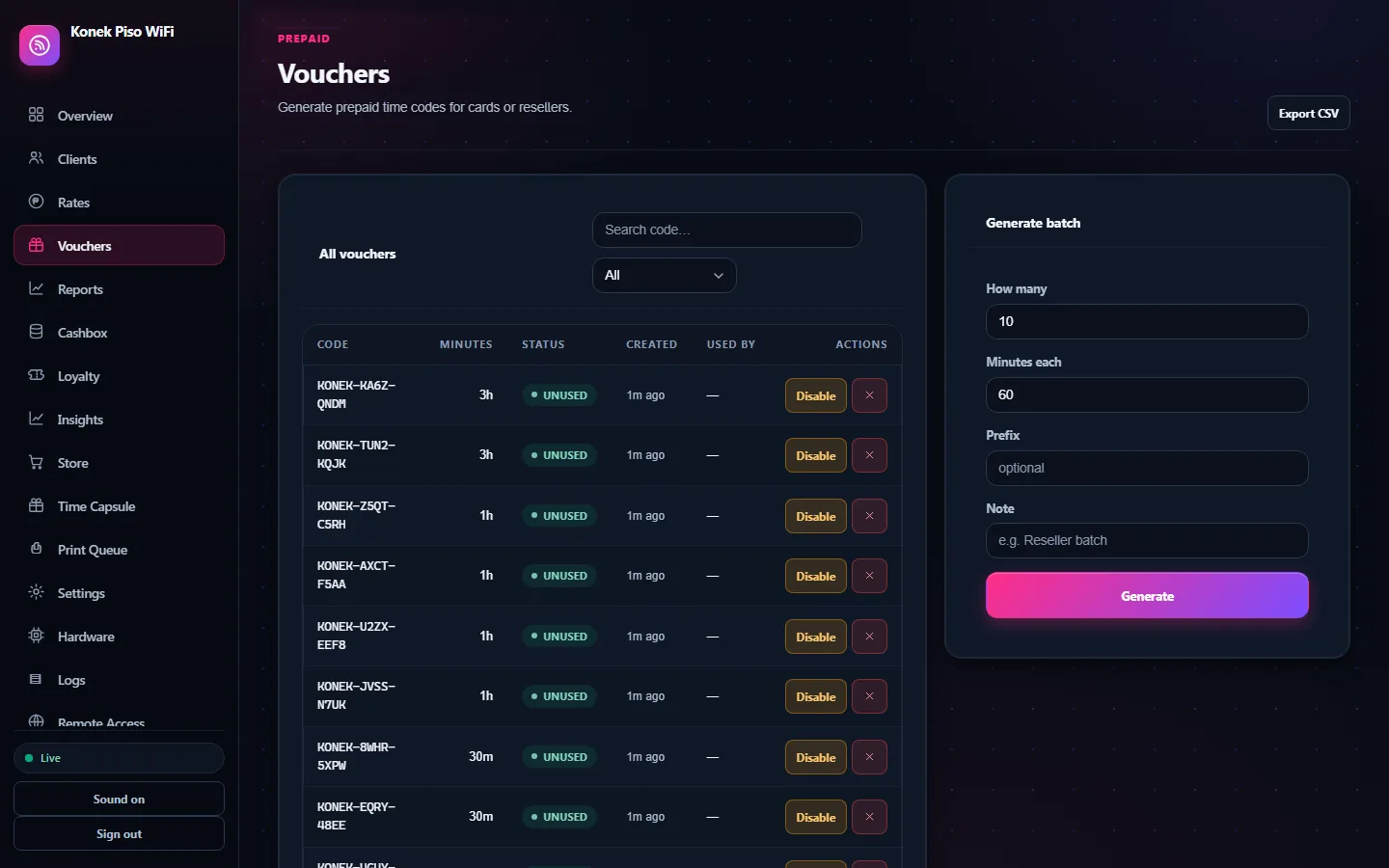
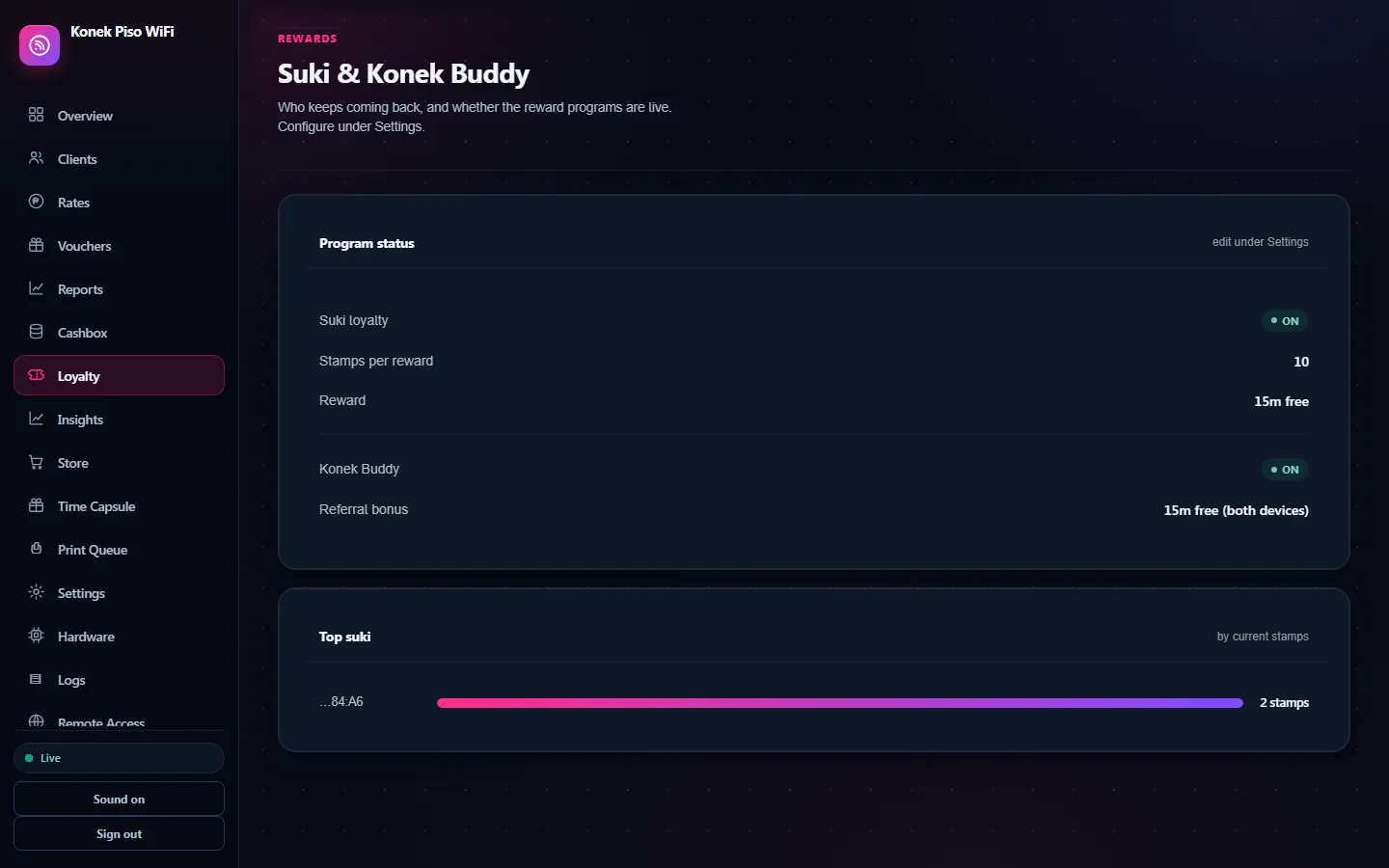
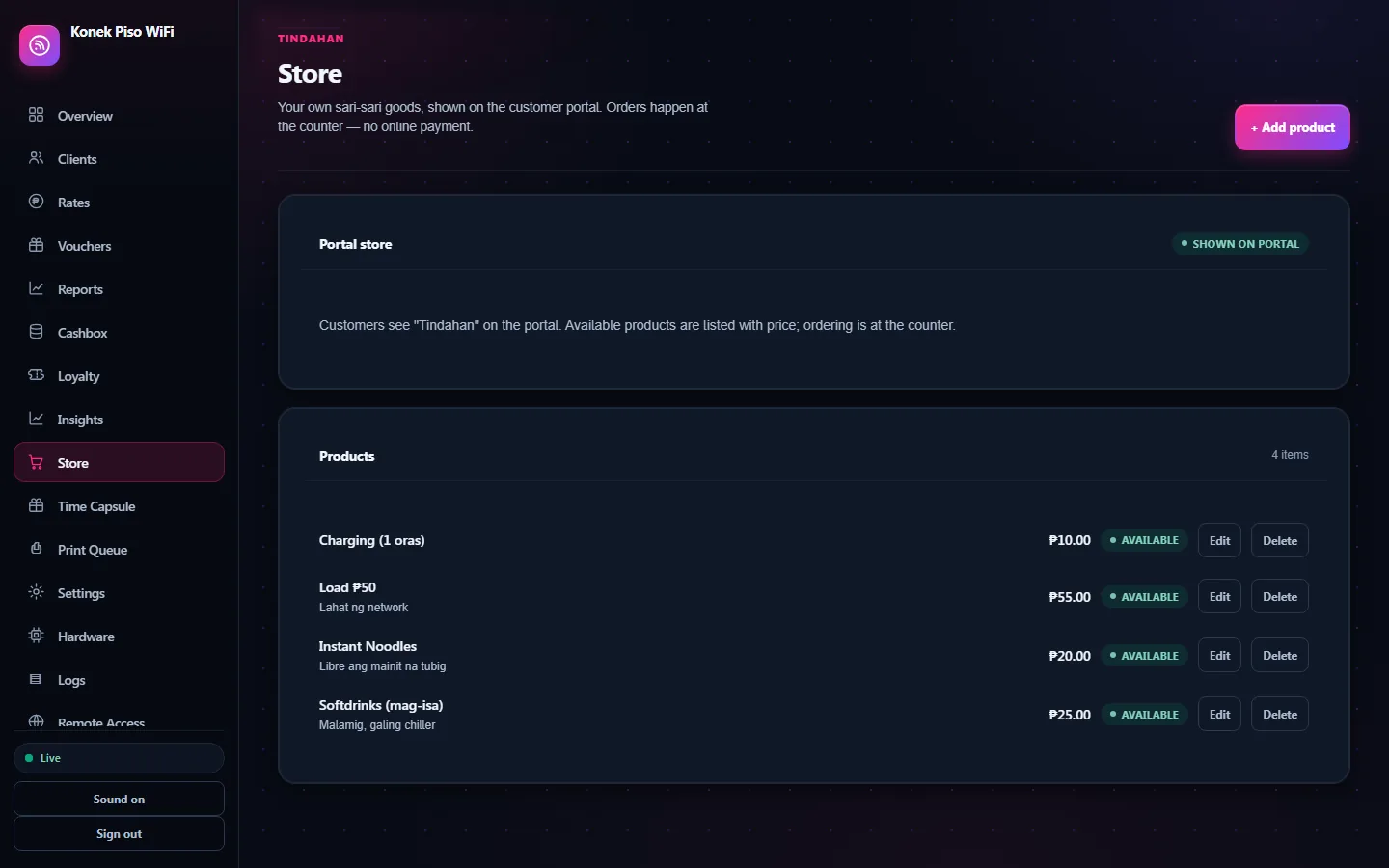
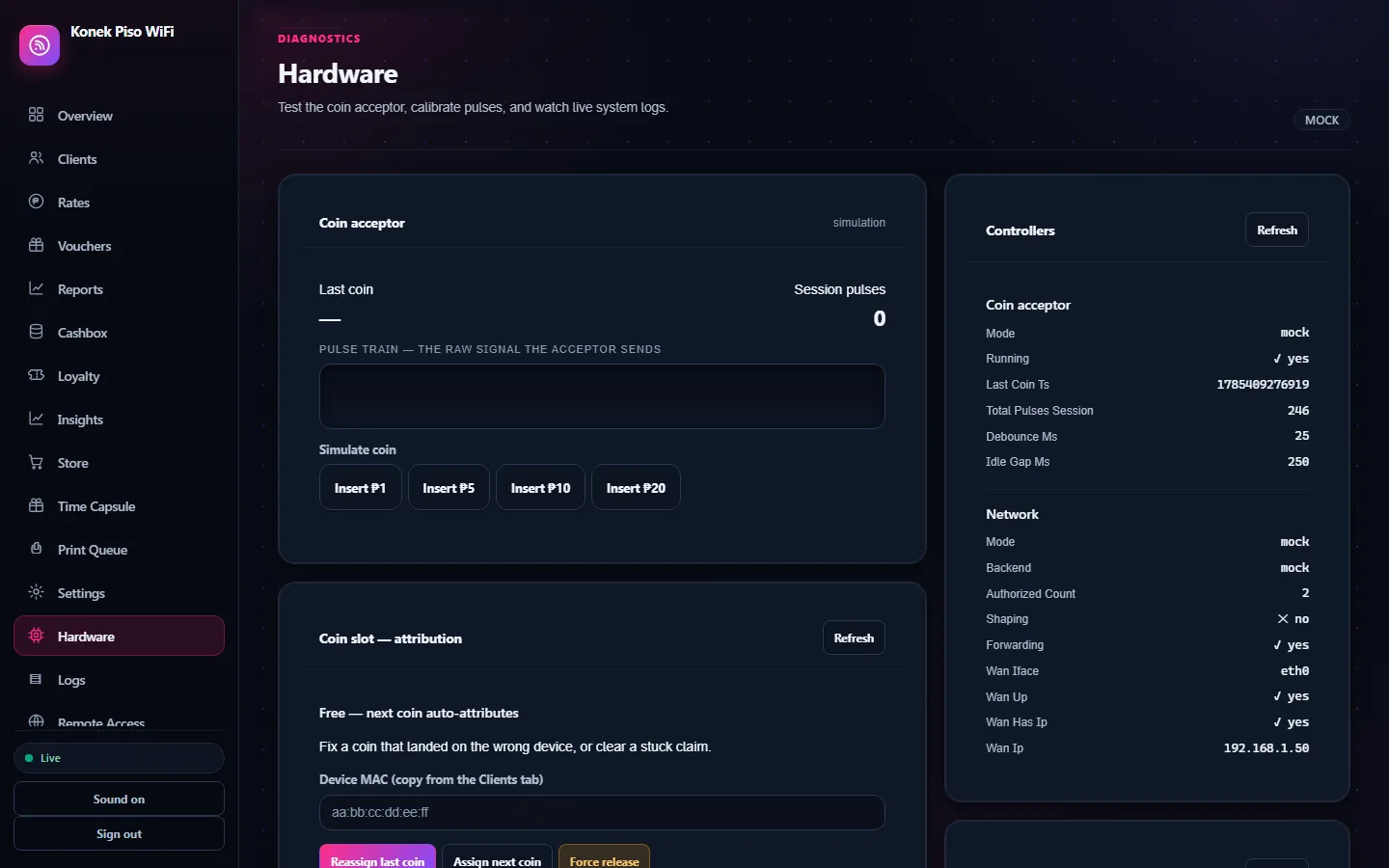
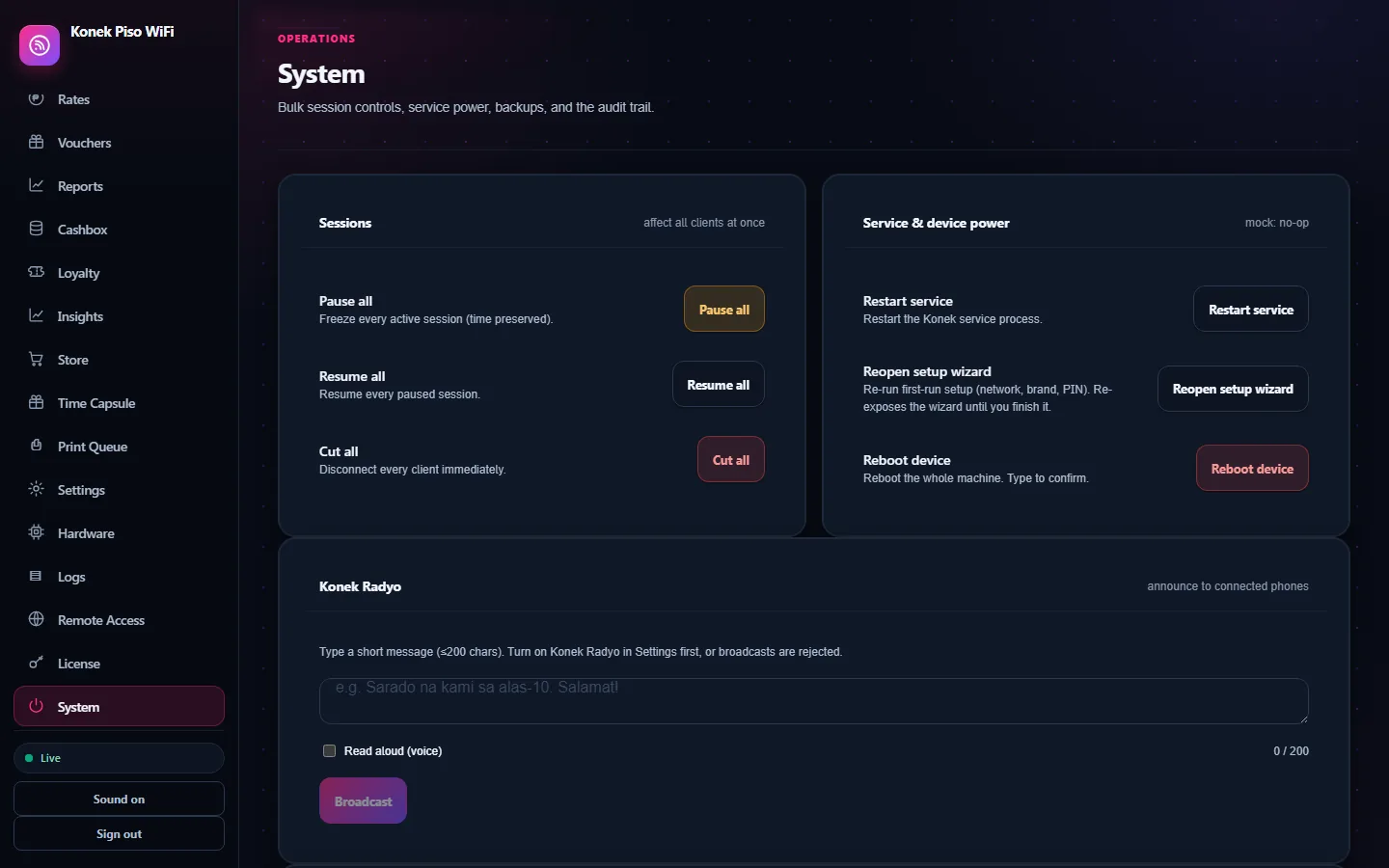
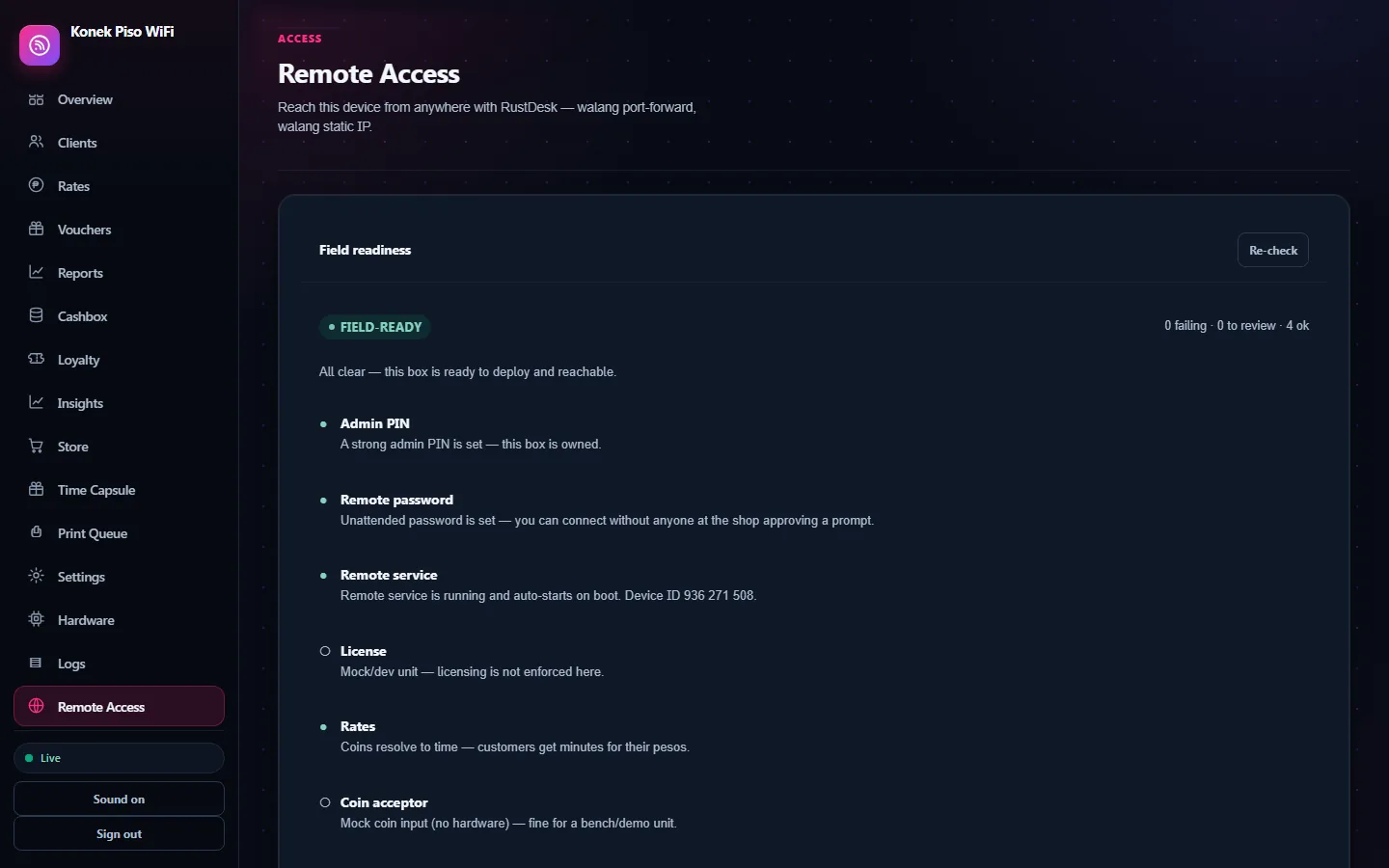
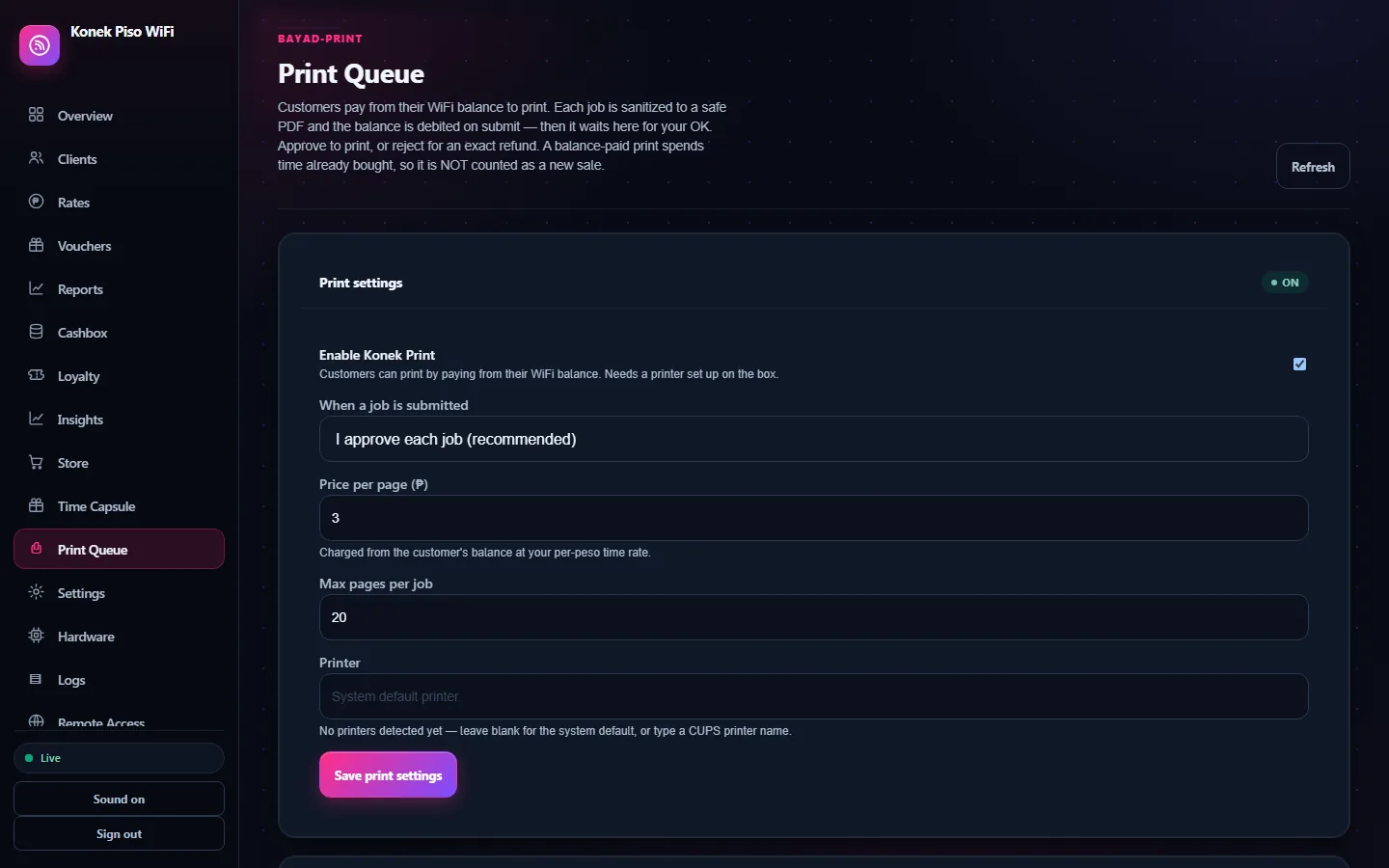
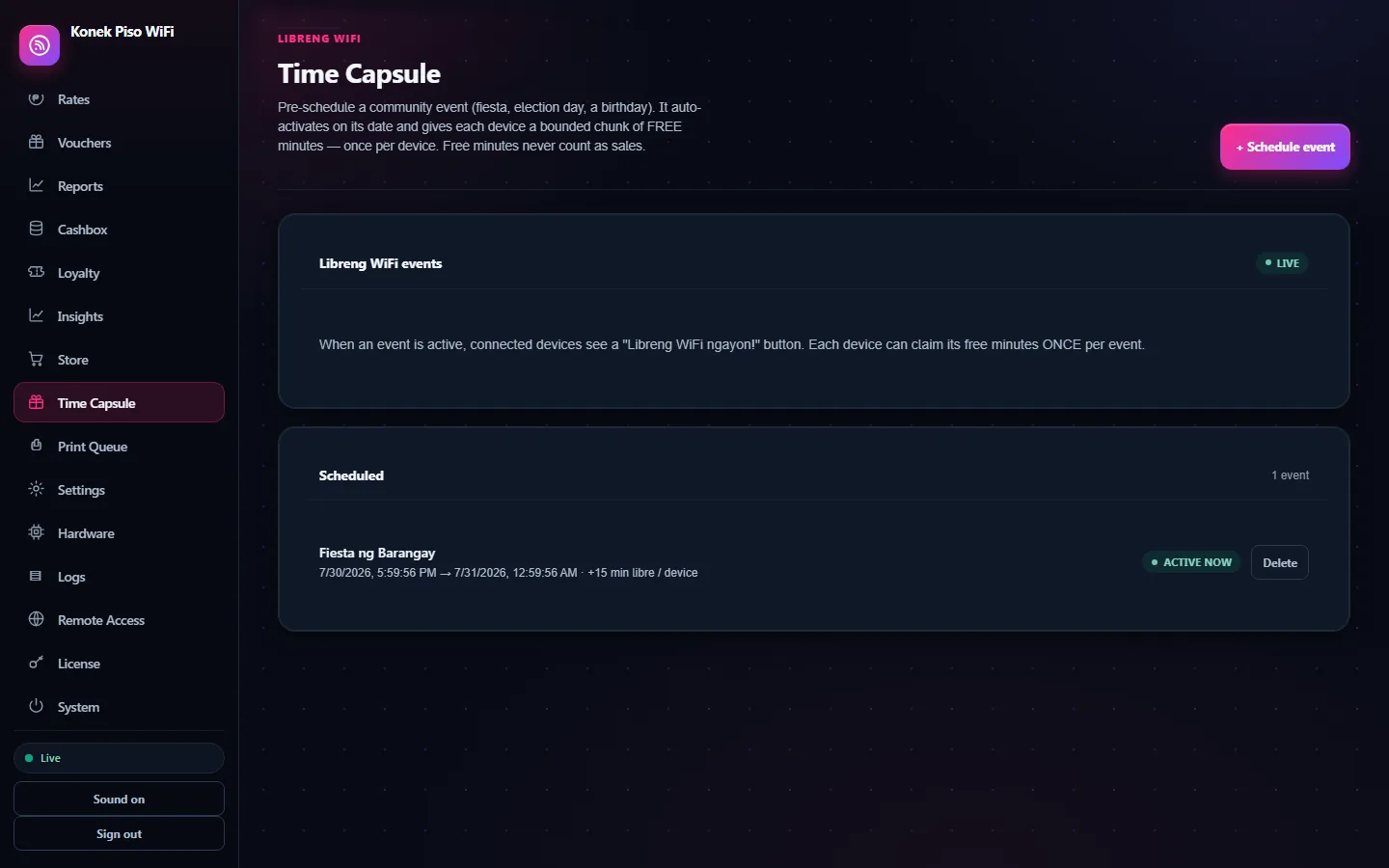
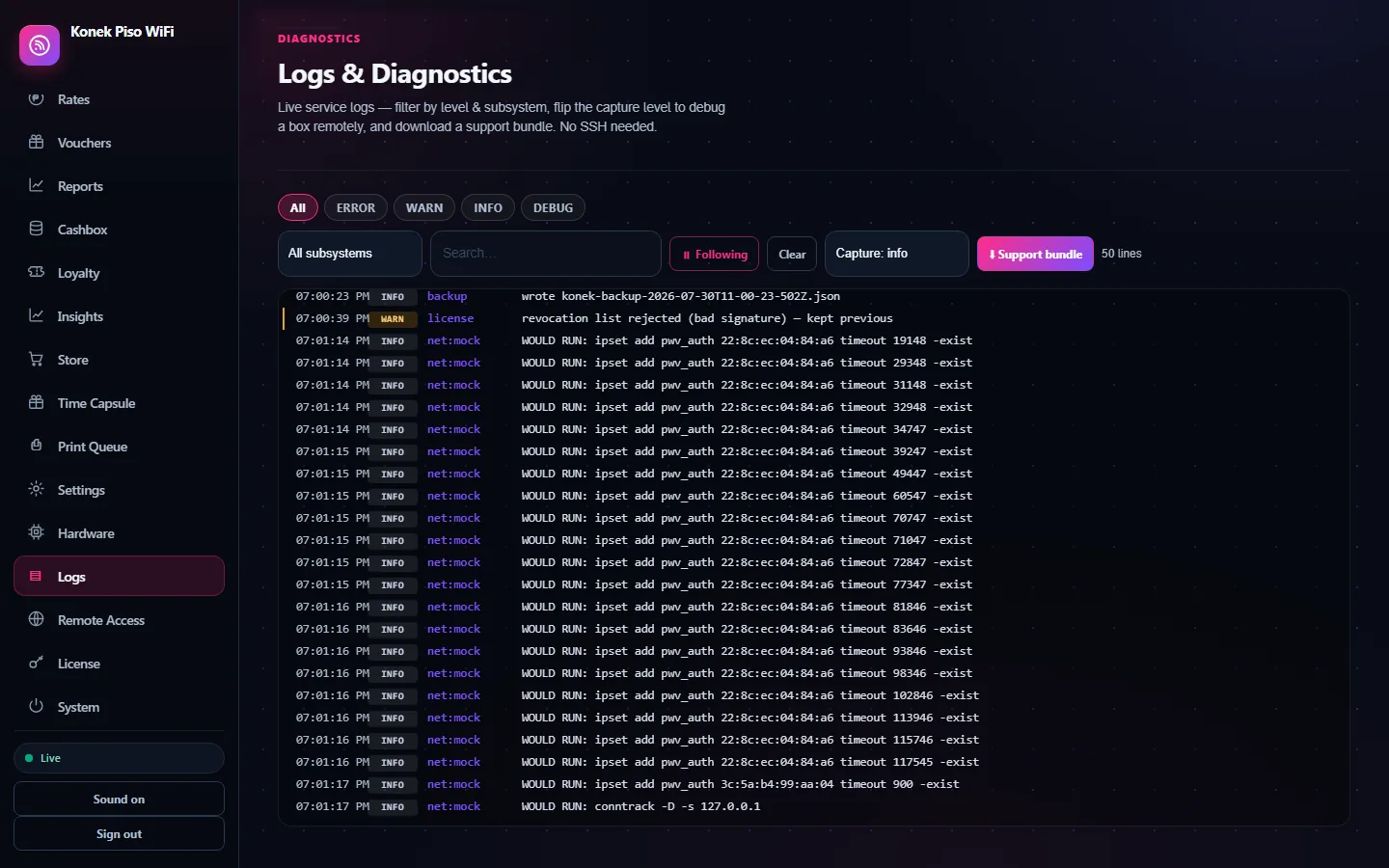
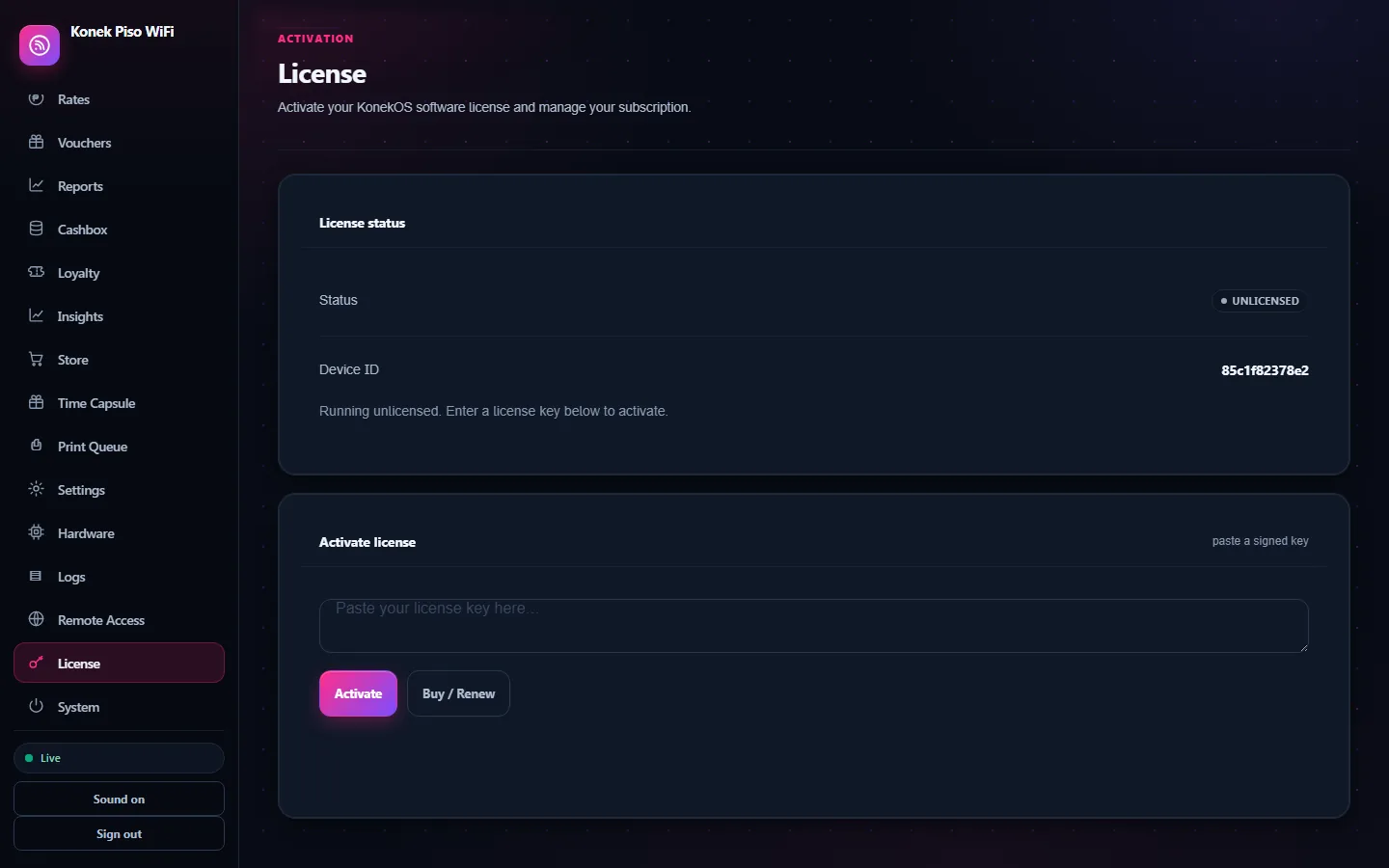
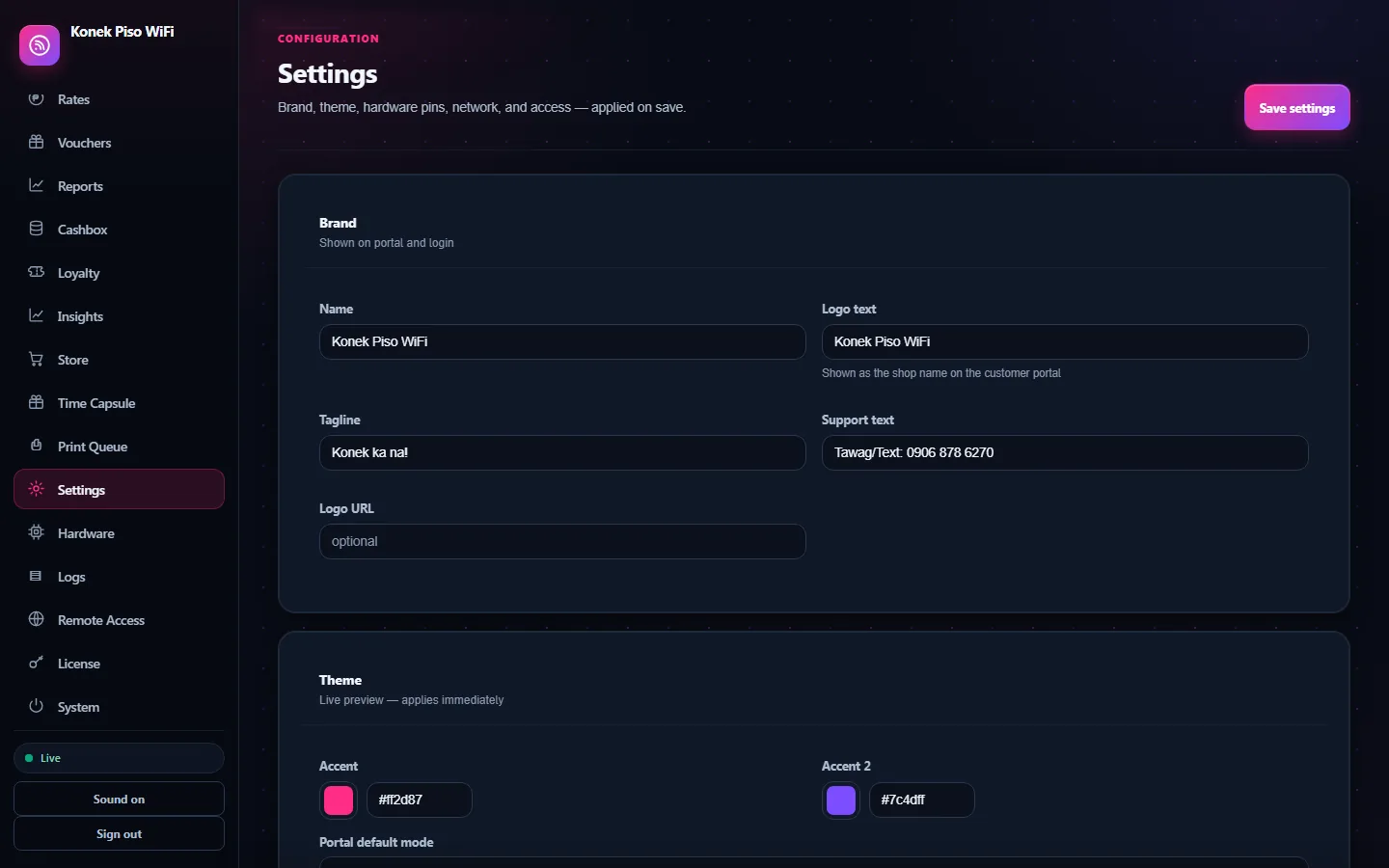
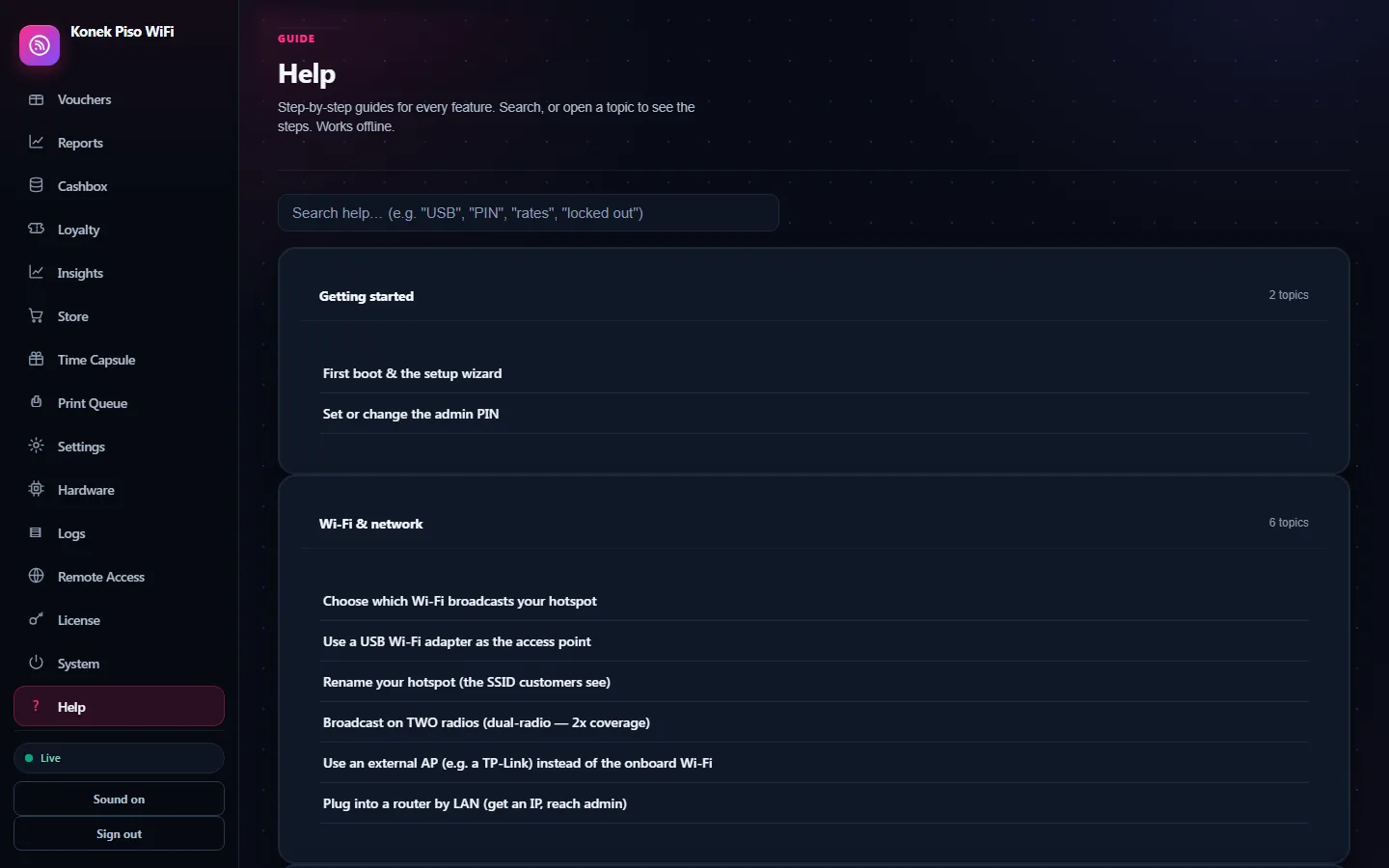
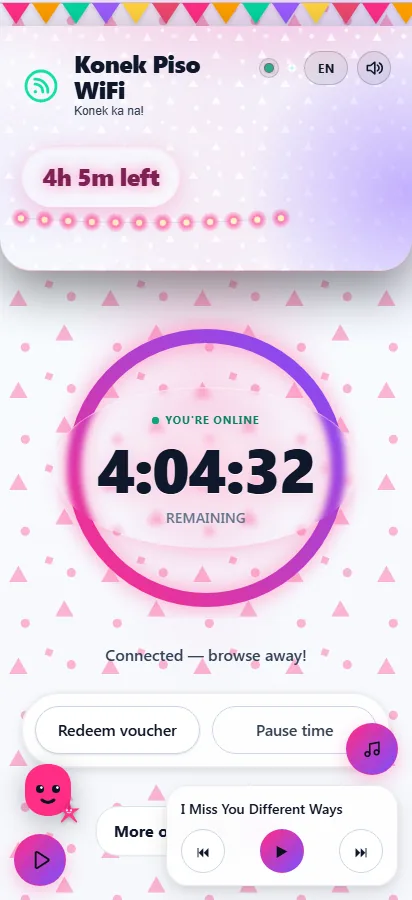
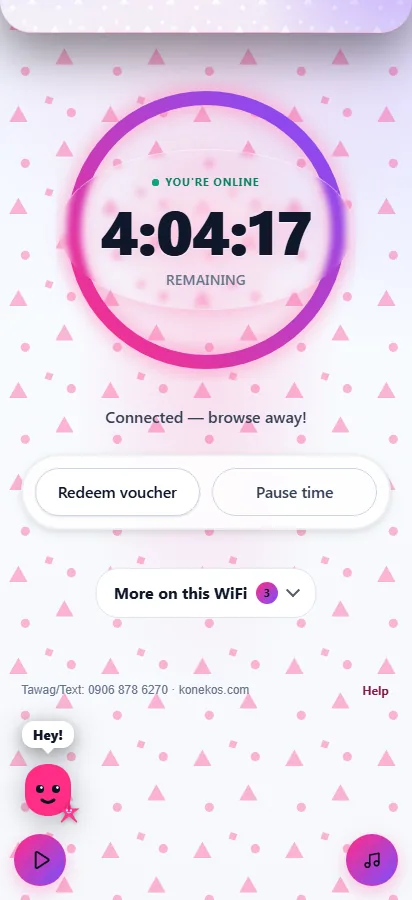
The numbers agree across every screenshot - one box, one session.
The signature touches
Little things the copy-paste kits don't have - because KonekOS was built for the hustle, not cloned from a template.
🎵 KonekOS Jukebox - music while they wait
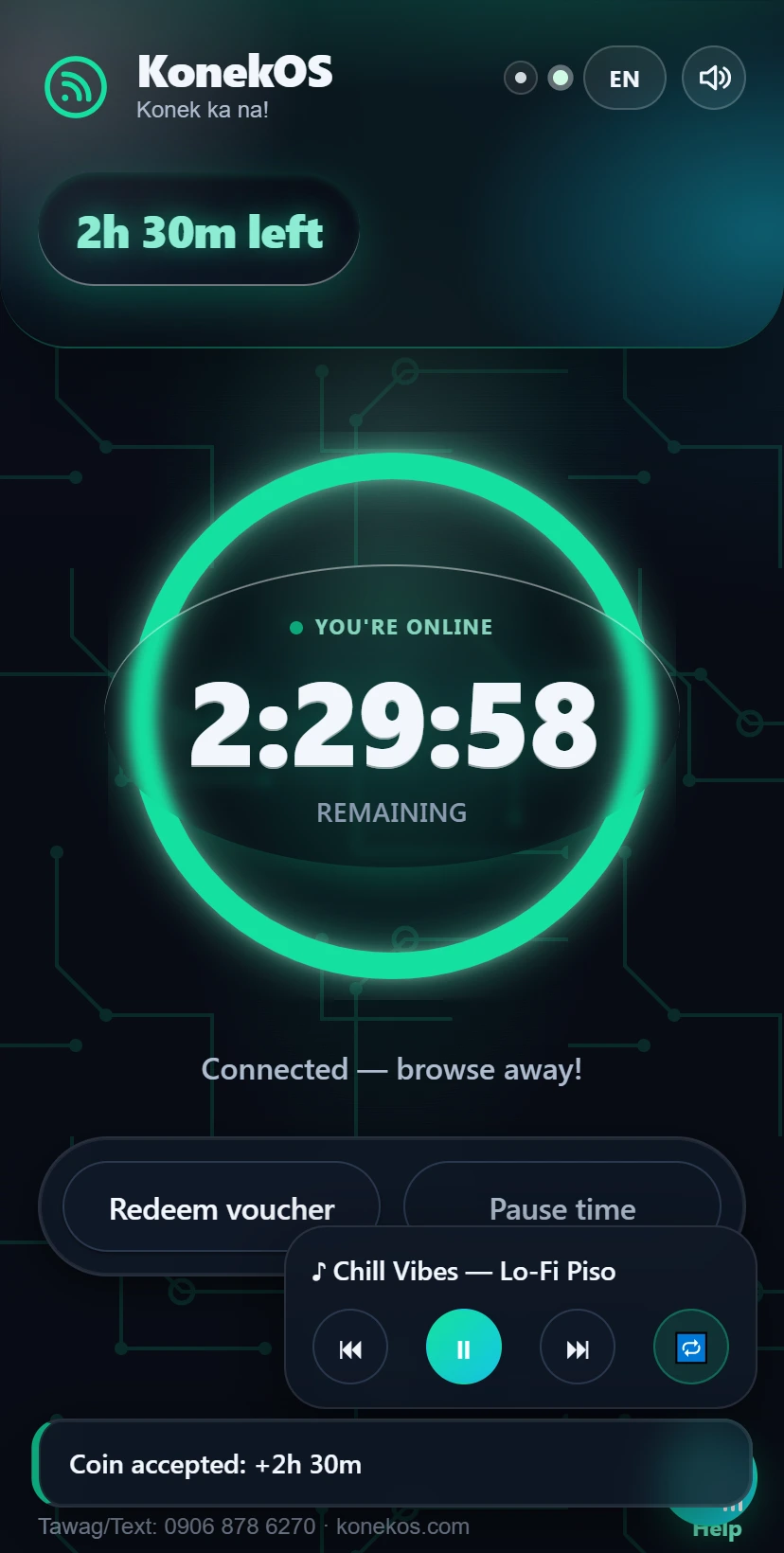
Your box arrives with music already in it - it streams straight off the vendo, offline, using none of your data. Everyone can listen, paid or not, and that's deliberate: music is a reason to open your portal, and your rate card and coin slot are on that very screen. Someone already listening is one tap from paying; someone staring at a paywall closes the page. It loops all day, and you can push a track to every connected phone at once. Prefer paid-only? One switch.
📈 Coin-acceptor oscilloscope
The admin Hardware tab draws every coin's pulse train the moment it lands - ₱1 = 1 pulse, ₱5 = 5 - right beside a live feed of every drop and a running total. One glance tells you whether your slot is sending what your pulse map expects, so a finicky coin slot becomes a five-minute fix.
▶ See it in the dashboard - demo PIN 1234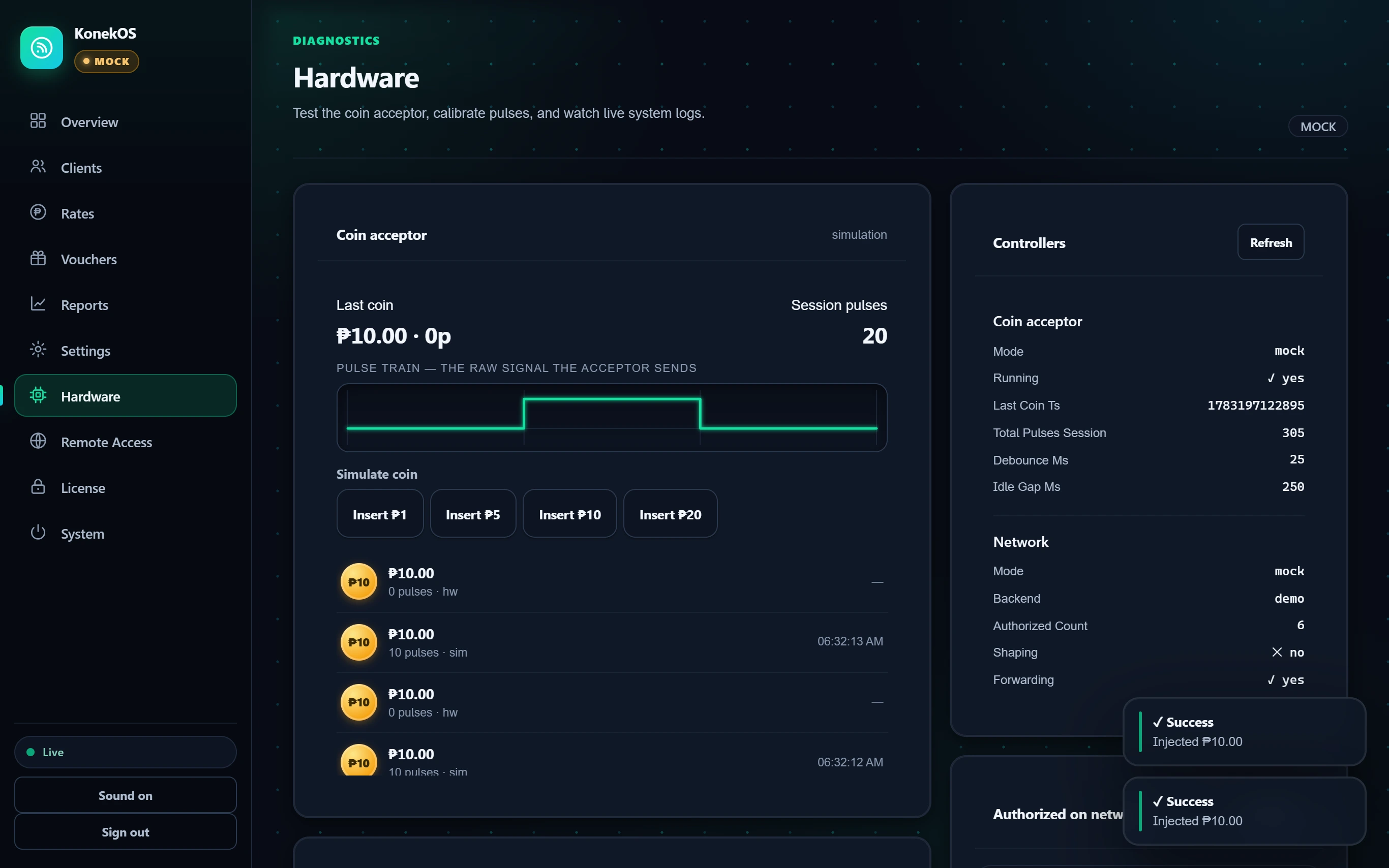
9 themes - make it yours.
One tap re-skins your whole portal - colours, vibe, and your shop's name. Pick what fits your spot.
Tap one - this page changes shape, spacing and pace, not just colour. That is what a KonekOS theme actually does.
Plus full control of accent colours, your logo, tagline & WiFi name - make it 100% yours.
Everything you get for ₱699
KonekOS turns a ₱2,000 Pi or old mini-PC into a full coin-op WiFi vendo that runs offline, takes GPIO or USB coins, prints vouchers, tracks every peso, speaks 7 languages (English + 6 Philippine), and lets you fix it from your phone anywhere via RustDesk - pay once, yours for life.
Remote support built in
Fix your vendo from bed, from work, from anywhere - walang port-forward, walang static IP.
- One-tap RustDesk access. See your box's RustDesk ID in the admin panel, copy it, konek na.
- No port-forward, no static IP. Box reaches out to the public relay - connect from anywhere with ID + password.
- Set your own remote password. Pick a 6+ character unattended password so only you can get in.
- Turn remote on or off anytime. Enable or disable the RustDesk service from the dashboard with one button.
- Auto-installs on first boot. RustDesk installs itself once the box has internet, and retries on later boots - zero setup.
- Headless boxes work too. No monitor? RustDesk ID still works for SSH and command-line management.
- Locked behind your admin PIN. Remote settings live inside the dashboard, so nobody reaches them without your PIN - and the PIN can never be a trivial one like 1234.
- Every change is logged. Password sets and service toggles land in your audit trail, timestamped.
Money, coins & rates
Take every peso, credit the right time, and never lose a coin - even on power loss.
- GPIO coin acceptor (₱1/₱5/₱10/₱20). Reads coin pulses straight off the Pi / Orange Pi GPIO pin.
- USB-serial coin acceptor. For x86 mini-PCs with no GPIO - a CH-926/JY-926 plus a small USB-serial bridge (an Arduino Nano or RP2040, about ₱300) that turns coin pulses into a USB serial port.
- USB acceptor auto-reconnects. Unplug, reset, or reboot the bridge and the box reopens the port on its own - coins keep counting again, no service restart. While the lead is down the dashboard flags the acceptor as degraded, so an outage never passes unnoticed.
- Coin config is validated. A bad pulse-map, coin pin, tolerance, or backend is rejected and sidelined to safe defaults instead of eating coins.
- Money-safe by design. Merged coins reject rather than under-credit, line-noise can't fake a coin, and only real denominations are credited.
- Flexible pricing engine. Coin-table, per-peso, or hybrid rates - set it your way.
- Bonus minutes for bigger coins. Reward the ₱20 dropper with extra free time automatically.
- Promo time multipliers. Run a 2x-time happy hour with start and end times you set.
- Daily time cap per customer. Stop one kuya from hogging the box all day; resets at your hour.
- No coin ever gets lost. Unattributed coins are held on disk and survive a reboot until reassigned.
- You pick the rounding step. Credits are exact to the second out of the box; set the rounding step to 60 and every balance lands on a whole minute instead.
- Rates update with no restart. Change your rates in the dashboard and they apply on the next coin.
- Live pulse-map edits. Tune the pulse map and it applies immediately - no restart - with a wrong-board coin-pin warning in Admin → Hardware.
- Coin audit log. Every single coin drop is written to a durable log for your records.
Suki Loyalty & Konek Buddy
Bring regulars back and turn customers into promoters - free minutes for loyalty and referrals, off until you switch it on.
- Suki stamp card. Every paid coin earns a stamp; fill the card (10 stamps by default) and the customer gets free minutes.
- Your rules. Set stamps-per-reward and how many free minutes each full card grants.
- Konek Buddy referral. Every box gets a code (e.g. SUKI-DEW-6FJ); a friend enters it before their first coin.
- You both win. On that first paid coin, the friend and the referrer each get bonus minutes - one-time, no self-referral.
- On the portal. Customers see their stamp progress and a tap-to-copy buddy code with ready share text.
- Device-bound & offline. Stamps live on the box and survive a re-flash or restore; the remainder carries to the next card.
- Free time, honestly counted. Every awarded minute is real free time, audit-logged and never counted as sales revenue.
- Off by default. Both programs stay off until you enable them in Settings - a Loyalty page shows status and a top-suki leaderboard.
Customer captive portal
A gorgeous mobile-first portal that makes dropping a coin feel like a game.
- Beautiful mobile portal. Modern, responsive, light or dark - looks great on any phone.
- Live countdown ring. Animated timer ring depletes and turns red as time runs low.
- Coin-drop animations. Floating +₱5 and +30 min, confetti, and haptic buzz on insert.
- Pause and resume time. Customers freeze their balance and come back later without losing it.
- Voucher redemption. Enter a code in a slick bottom-sheet with live validation.
- Arcade sound effects. Coin, online, and expiry sounds generated live - no audio files, fully offline.
- Mute toggle that sticks. Customer can silence sounds; the choice is remembered.
- Low-time warning. Banner and a gentle beep before their time runs out.
- Queue position display. When the slot is busy, waiting customers see they're next in line.
- Works on every phone. Auto-detects Apple, Android, and Windows captive checks and redirects.
Operator dashboard
Run the whole shop from one PIN-gated screen - live, real-time, no refresh.
- Live earnings overview. Today's pesos, transaction count, and lifetime totals at a glance.
- Live coin pulse feed. Watch every coin land in real time by denomination and device.
- Live clients list. Every device with a live countdown, IP, status, and total spent.
- Extend, pause, or cut a client. Add time, freeze, disconnect, or block any device in one tap.
- Bulk controls. Pause, resume, or disconnect everyone at once when you need to.
- Visual rate editor. Edit coin tables and bonus tiers with a live minutes-per-peso chart.
- Reports with charts. Earnings by source, coins by denomination, daily trend - pick your range.
- Coin tester and pulse monitor. Every coin appears instantly with its pulse count and a running total, so you can see whether the acceptor is sending what you configured - and inject test coins on a bench box before you wire the real slot.
- Restart and reboot controls. Restart the service or reboot the box from the dashboard safely.
- Live service log. Stream system logs in real time to spot issues fast.
Vouchers & sales tracking
Print prepaid codes, sell time without coins, and account for every centavo.
- Batch voucher generation. Make up to thousands of codes at once with your own prefix.
- Printable voucher sheets. Two-column branded layout with a built-in print button.
- Safe redemption. Atomic check-and-set stops the same code being used twice.
- Auto-refund on failure. If crediting fails, the code is released so nobody gets charged.
- Enable, disable, or remove codes. Kill a leaked code without deleting its history.
- Per-day sales buckets. Sales grouped by business day, timezone-aware, even offline.
- Sales breakdown by source. See coin vs voucher vs admin, plus coin counts per denomination.
- CSV export. Download sales and vouchers as CSV for your own records.
Boards, images & offline
Flash a card, plug in coins, and go - no internet needed on first boot.
- Ready-to-flash Raspberry Pi image. arm64 and armhf images boot straight into a working vendo.
- Orange Pi Zero 3 image. Cheap H618 board? There's a flash-and-boot image for it.
- Any Orange Pi via one command. Board already running stock Armbian or Raspberry Pi OS?
curl -fsSL https://konekos.com/install | sudo bashturns it into a vendo - no re-flash. (Original Pi Zero / Pi 1 use the armhf image instead.) - Bring your own WiFi router. No onboard radio? Plug any router in access-point mode (its DHCP off) into the board's LAN port - Ethernet-only boards work, with the exact same portal and paywall.
- x86 mini-PC image. Turn an old Intel / AMD box into a vendo - UEFI and legacy BIOS.
- Fully offline first boot. Node, WiFi AP, DHCP, DNS, and firewall all baked in - no internet needed.
- Built-in WiFi hotspot. hostapd broadcasts your open SSID with customer isolation on.
- Auto-detects your WiFi adapter. Finds the AP-capable interface at boot, prefers USB dongles.
- Reach admin at konekos.local. mDNS publishes the box name so you don't hunt for the IP.
- First-run setup wizard. Pick language, brand, and PIN in a web wizard before you go live.
- Desktop demo ISO. Boot konekos-desktop-amd64.iso on any 64-bit PC - BIOS or UEFI, even VirtualBox - for a full KonekOS desktop demo plus a graphical installer. It demos and manages; it doesn't take coins.
- Boot-partition config override. Edit a file on the SD card to set your WiFi adapter - no SSH.
Security & licensing
Your money and your admin stay locked down - and the license is yours for life.
- Pay-once lifetime license. Signed offline-verifiable key, no monthly fee, optionally device-bound.
- 14-day free trial. Run the full box for 14 days before you need a key, with anti-reset protection.
- PIN-protected admin. Numeric PIN hashed with scrypt - no plaintext PIN ever on disk.
- Brute-force lockout. Wrong PINs trigger escalating lockouts that survive restarts.
- Admin is PIN-walled. Before you set your PIN the dashboard isn't served to the customer WiFi at all. After that it's reachable at 10.0.0.1/admin on purpose - so you can run the shop from your own phone - and every route behind it needs your PIN.
- Paywall firewall. ipset and iptables whitelist only paid MACs; unpaid traffic is blocked.
- SSH off by default. No remote shell on the open SSID out of the box.
- Safe backup and restore. Restore sanitizes bad rows and strips the license and PIN - no crafted-backup takeover.
- Automatic daily backups. Timestamped snapshots every 24h, old ones pruned - recover without lifting a finger.
- Full audit log. Every admin action is stamped with who, what, and when.
- Signed auto-updates. The box fetches updates from konekos.com and applies them only after verifying the signature - lifetime updates, hands-free.
Languages, themes & branding
Make it your shop - your name, your colors, your language.
- 7 languages - English + 6 Philippine. English, Tagalog, Cebuano, Ilocano, Hiligaynon, Bikol and Waray, on by default.
- 9 ready-made brand themes. Signal (the default), plus Fiesta, Sigla, Bubuyog, Bula, Sinag, Kislap, Kidlat and Lawa - pick and go.
- Your shop name and tagline. Set the name, logo text, and tagline shown across the portal.
- Live accent colors. Change two brand colors and the whole UI reskins instantly, no restart.
- Light, dark, or auto portal. Set the customer portal mode; it can follow their phone.
- One-tap language switch. Customers cycle languages from a badge - no reload.
- Custom support contact. Show your support text and email right on the portal.
All 80+ features above are included in the one-time ₱699 - no add-ons, no monthly, no cut of your coins.
What makes KonekOS different
- Built from the ground up for the Philippines coin-op WiFi hustle - not a rebranded router firmware or a recycled hotspot template.
- Pay once, yours for life: an offline-verifiable signed license, no monthly SaaS fee, no cloud account required to keep running.
- Truly offline-first: flash the card, plug in coins, and it works on first boot with no internet - WiFi AP, DHCP, DNS, firewall, and app all baked in.
- Runs on cheap hardware you already have - a ₱2,000 Raspberry Pi, an Orange Pi Zero 3, or an old x86 mini-PC - with GPIO coins on Pi boards and USB-serial coins on x86.
- Remote support is built in, not bolted on: RustDesk auto-installs and lets you fix the box from your phone anywhere, with no port-forwarding and no static IP.
- Speaks the customer's language - 7 languages on by default (English + 6 Philippine: Tagalog, Cebuano, Ilocano, Hiligaynon, Bikol, Waray) with a graceful English fallback so the UI never breaks.
- Trust-first engineering: coins are never dropped even on power loss, the USB acceptor auto-reconnects and shows up as degraded in the dashboard while it's down, coin config is validated, the paywall is a real firewall (ipset/iptables), admin is invisible to customers, and every peso is auditable.
- Optional customer retention built in: a Suki loyalty stamp card and Konek Buddy referrals hand out real free minutes to keep regulars coming back - off by default, audit-logged, and never counted as sales.
The parts you only notice when they save you
An unattended vendo doesn't fail loudly. The firewall gets flushed and everyone browses free. A coin credits one second before a brownout. An update drops the portal mid-purchase. KonekOS is built on the assumption that nobody is watching the box - here's what it does about it.
The paywall proves itself
A dead firewall doesn't look broken - the WiFi still works, everyone just stops paying. So the box keeps checking.
- Boot self-test. On every start the box proves enforcement is really live - the paid-device ipset exists, the paywall chain exists and is hooked into forwarding and NAT, and both the allow and the block rule are actually installed.
- Re-proved every 5 minutes. A firewall tool, a package upgrade or a stray script can wipe your rules hours after boot. The tanod watchdog re-runs the whole test on a timer, so a paywall that dies at 9pm doesn't stay dead till morning.
- It rebuilds, it doesn't just complain. If enforcement is gone the box re-asserts the entire firewall itself and re-tests - no SSH, no restart, no waiting for you to notice.
- It catches the empty-set trap. A flushed device list still "exists" and passes a naive check while every paying customer is silently dropped. KonekOS samples the list, spots the drain, and treats it as a rebuild.
- Every paid device is pushed back in. After a rebuild it re-authorises everyone who still has time left before it will call the paywall healthy again - nobody keeps burning paid minutes locked outside.
- Your dashboard finds out. The health check flips to a red "the firewall is NOT enforcing - unpaid customers could browse for free" within one poll.
Every peso goes through one door
Coin, voucher, capsule, referral, shared time, admin top-up, print refund - one credit path, one place to audit.
- One chokepoint for time. Every way a customer can gain a minute lands in the same single function. There is no side door that credits time without the same checks, the same logging and the same limits.
- Written to the card the instant it lands. A credit is real money, so the balance is flushed to disk on the spot - temp file, fsync, rename - instead of riding the normal batched write. Unplug the box a second after the coin drops and the time is still there.
- A failed credit rolls back. If crediting fails, the voucher code is released and a share puts the sender's exact seconds back. Nobody is ever charged for time they didn't receive.
- Free time never eats the paid cap. Bonuses, refunds and comps are marked as non-purchases, so a daily cap can't quietly turn a real coin into zero minutes.
- Owned time is never truncated. Time a customer already paid for is never clipped by a pause, a cap or a top-up - it can only be spent.
- It tells you when someone paid and didn't get online. Failed firewall grants and revokes are counted and raised in health as a warning that access may not match paid time - the failure that normally reaches you as an angry customer.
- Outstanding liability on the Overview. A live KPI of unspent paid time you still owe your customers, so the cash in the box is never mistaken for profit.
Clocks and updates can't cheat a customer
The two silent thieves in a vendo are a clock that jumps and a restart at the wrong moment. Both are handled.
- Silent restarts - port 80 never closes. systemd holds the listening socket in its own unit and hands it to the app, so an update restart keeps the port open: the kernel queues the connections for the second it takes to come back. No "connection refused", no portal blip mid-coin. (Not installed? It simply binds the port the normal way.)
- The clock can't rob anyone. Session time is measured on a monotonic clock, not the wall clock - so an NTP step on a Pi that booted with the wrong date never grants or steals paid seconds.
- The countdown is anchored to the box. The portal never trusts the phone's clock: it measures the offset against server time and re-anchors on every sync, tick and coin, so the timer on the customer's screen matches what the box will actually enforce.
- Every money route is rate-limited per device. Voucher, referral, capsule, share, barkada, print and the coin-slot claim are each throttled per phone, and refused before any session state is touched - one hammering device can't pin the CPU and stop the box selling.
- Retry-safe money POSTs. Sharing time, barkada bundles and print jobs carry an idempotency key, so a phone that loses the reply and retries replays the committed result instead of debiting twice.
- A QR on every printed voucher. Each card prints with a QR generated offline on the box that deep-links straight to the redeem screen - scan, done, no typing a code wrong.
Built to be undone
A bad setting can quietly kill a night's earnings. Getting back is one click, and getting help doesn't need SSH.
- A config snapshot on every change. Every settings save writes a timestamped snapshot; the last ten are kept and older ones self-prune.
- One-click revert. Settings lists your snapshots with a "Revert to this" button - a wrong rate at 8pm is a ten-second fix, not a night lost.
- Snapshots hold no secrets. Your PIN hash and license are stripped out, so rolling back a rate change can never revert your activation or restore an old PIN.
- One-click support bundle. The Logs tab downloads a single JSON with recent logs, the audit and coin-event tails, live hardware and health status, versions, SD-card health, the flight-recorder ring and a redacted config - enough for anyone to diagnose your box without SSH, and without ever seeing your PIN or license key.
Some features ship switched OFF - on purpose
- Pahiram ng oras (time sharing) - it moves paid time between two phones. Written, unit-tested and adversarially audited; it stays off until it has been proven on a real box with real customers.
- Barkada Bundle (group share) - the same thing in batches to a whole group, and the newest of the lot. Off until it's field-proven.
- Smart auto-pause - it freezes a paid balance automatically, and it leans on idle detection we haven't yet watched behave in a real shop.
- Konek Print (bayad-print) - it debits on submit and refunds to the second on a reject, a printer failure or a cancel. Built and audited, not yet proven against a real printer.
- Coin-path canary (silent-earnings alarm) - parked on purpose, for the operator who actually wants silent-earnings monitoring.
- The rule we hold ourselves to - anything that moves paid time between devices, or changes a paid balance by itself, stays off until it is field-proven. Grant-based features that only add time through the audited credit path are on.
All of them are already in the image you download - switched off, listed in one manifest, and the boot log warns you if you turn one on. We'd rather hand you a feature late than hand you one that loses a peso.
Be a founding KonekOS operator
KonekOS is newly launched - get in early at the launch price and help shape it. Try it risk-free, and if you love it, your review goes right here.
Made in Leyte, for the Philippines
Built right here in the Philippines for Filipino piso-wifi operators - every detail tuned for local hustle, not a recycled foreign template.
Real founder support
Text or call 0906 878 6270 - a real person answers, not a forum.
Try before you pay
The live demo + a 14-day trial mean zero risk. Try it first.
★★★★★ Your review here - be one of the first operators on KonekOS.
Why KonekOS? - Side by side.
Same coins going in - better-looking, cheaper, and yours forever.
| KonekOS ₱699 lifetime | Ready-made machine ₱8k - 18k | Free / freemium apps ₱0 | |
|---|---|---|---|
| Upfront cost | ₱699 once | ₱8,000 - 18,000 | ₱0 |
| Monthly fees / cut | ✓ None - all yours | pricey box | ⚠ ads / limits |
| Beautiful portal + 9 themes | ✓ | ✗ basic | ✗ clunky |
| 6 Philippine languages + English | ✓ | ✗ | ✗ English |
| Runs on a ₱1,500 Pi / old PC | ✓ | ✗ locked HW | ✓ |
| FREE 14-day trial | ✓ | ✗ | ⚠ limited |
| Filipino support (text/call) | ✓ 0906 878 6270 | seller-dependent | forums |
Pay once, and you're done. Nothing chasing you.
KonekOS (Solo, launch): ₱699 - ONCE. Forever. No subscription, no cloud lock-in. What others pay every single year = your profit on KonekOS.
Pick your plan
🚀 Launch pricing · one-time, lifetime license · license key emailed after checkout.
Why ₱699 and not ₱999? KonekOS just launched. Early operators get the launch price for getting in before the reviews roll in - and for helping shape what comes next. While we're in launch, you lock in ₱699 for life.
👉 One shop? SOLO is all you need - one box, one license. The bigger plans are only for running several spots, and they drop the price per box.
- 1 device license (one box)
- All Pi / Pi Zero / Orange Pi / x86 images
- 9 themes · 7 languages (English + 6 Philippine)
- Portal, dashboard, vouchers, reports
- Lifetime updates · no monthly · no cut of your coins

- 5 device licenses - one per box
- Everything in Solo, on every box
- Each box runs its own full dashboard (no combined view)
- Priority updates + support

- 25 device licenses
- Everything in Pro
- Rebrand it as yours (reseller rights)
- Direct line support

💙 GCash - accepted, talaga, all the time. Send ₱699 to GCash 0906 878 6270 (Nookie), message us the payment screenshot at the same number, and we'll email your license key - usually within a few hours. (The images are a free download anytime.)
🔎 Prefer PayPal? On the PayPal page you'll see the item "KonekOS" and the payment goes to Jay (Nookie), the founder here in Leyte (solo-developed - there's no big company behind it). No PayPal account needed: pay with any debit or credit card. Want to confirm first? Just message us before you pay.
Pay once, lifetime - no monthly, no auto-renew, no hidden fees. Your license key is emailed after payment - the device images are free to download anytime.
Not ready to buy? Start with the FREE trial - full features, no card →

Made in Leyte - by an Aussie who loves the Philippines
I'm Jay (Nookie), an Australian developer - and the Philippines is my second home. I married my Filipina wife and settled here in Leyte, and through her and her family I came to love this country and its people deeply. The more time I spent in the communities, the more I kept seeing the same thing: hardworking piso-wifi operators paying real money for systems that ran fine but looked broken - clunky, embarrassing portals you'd hesitate to put in front of a paying customer.
I didn't think the answer was to dump another cheap foreign template on the Philippines. So I built KonekOS from the ground up - not forked from anyone else's piso-wifi, but designed from scratch around exactly what I watched work and fail in real shops. Out of respect for the hustle I saw up close, I sweated every detail: a captive portal that's genuinely beautiful, a dashboard you can actually read, 7 languages (English + 6 Philippine), and one fair lifetime price - no monthly fees, no hidden charges. This is my way of giving back to a country that gave me a home. If you ever need a hand, text or call me directly - a real person answers, every time.
- Jay (Nookie), founder & developer, KonekOS · 0906 878 6270
🇦🇺🇵🇭 Made in Leyte by an Aussie devoted to the Philippines · 👤 Solo-developed, actively maintained · 💬 Direct founder support
Questions
Is the trial really free? Do I need a card?
100% free. Open the live demo here (instant), or flash KonekOS onto your Pi and use it fully for 14 days - real portal, real coins. No card, no auto-charge. You only pay if you decide to continue.
What if it's a scam? I'm new to this.
Try it before you pay: FREE live demo + a 14-day trial. And you can text or call us at 0906 878 6270 - a real person answers.
Will it brick my Raspberry Pi?
No. You just flash an SD card - your Pi is never modified. Don't want it anymore? Just re-flash.
I'm not techie - can I set it up?
There's a guided setup wizard - step by step, not the command line. If you can flash an SD card, you can do this. And we'll help you over text.
How do I get KonekOS after I pay?
We email your license key as soon as we process your payment - usually within a few hours. The device images themselves are free to download right here on konekos.com, so you can already be up and running on the trial before you pay.
Which devices are supported?
Raspberry Pi 3, Pi 4 and Pi Zero 2 W, the original Pi Zero / Pi 1, the Orange Pi Zero 3 and x86 mini-PCs / Intel NUC: there's a ready image for each. The Pi 5 is not recommended for a coin vendo yet - it boots and runs, but the coin input does not work on the current image, so use a Pi 3 or Pi 4. Other Orange Pi boards work too - a one-command installer sets KonekOS up on the board's standard Armbian system. No WiFi on the board (like an Orange Pi One)? Pair it with any cheap router in access-point mode - same portal, same paywall.
What internet do I need? How fast?
KonekOS itself runs offline - the coin slot, portal, timer and dashboard all work with no internet at all. What your customers browse is just the internet you share with them, so any connection works: home fibre, a prepaid pocket WiFi, or a SIM plan. A faster line means happier customers, but there's no special "business" plan required. Not sure your line is enough? Text 0906 878 6270 and we'll talk it through.
How much can I actually earn?
Honestly - it depends on your spot, and results vary. A decent location earns roughly ₱150 - ₱300 a day in coins; a quiet corner earns less, a busy spot near a school or market earns more. These are realistic estimates, not promises. Because KonekOS is a one-time ₱699 and takes no cut, 100% of your coins stay yours. Try the free 14-day trial in your actual spot before you decide - that's the only way to know your real numbers.
Is running a piso-WiFi legal? Do I need a permit?
Piso-WiFi is a common small business all over the Philippines. KonekOS is just the software that runs your hotspot - like any small business, whether you need a barangay/business permit, and whether reselling your internet is allowed under your plan, depends on your area and your ISP. We can't give legal advice, so check with your barangay and your internet provider first. That part's your call to make.
What happens during brownouts? Do I need a UPS?
KonekOS runs on a small computer, so like your fan or TV it switches off when the power goes and starts back up on its own when power returns. If brownouts are common where you are, a cheap mini-UPS or a power bank (for a Pi Zero) keeps it running through short cuts so customers stay online. It's optional - plenty of spots run fine without one - but it's nice peace of mind for a few hundred pesos.
How many customers can use it at the same time?
For a normal sari-sari or neighbourhood spot - a handful up to a couple dozen phones - you'll be fine. Real-world capacity depends mostly on your WiFi router and your internet speed, not a fixed KonekOS limit: a stronger router and a faster line handle more people comfortably. Planning a very busy location? Text 0906 878 6270 and we'll help you pick hardware that fits.
Do I need to be there all the time?
No - that's the point. Coin in, WiFi out is fully automatic, so the box earns while you do other things, and you can check today's earnings and who's online from your phone anytime. You'll still want to empty the coin box, keep your internet paid, and keep the unit somewhere safe - but you don't have to sit and operate it. Many owners run it beside a sari-sari store or at home.
What if I get stuck or something doesn't work?
You message us - and a real person answers, not a bot or a forum. Text or call Jay (Nookie) directly at 0906 878 6270 and we'll walk you through it. Because KonekOS is made in Leyte by the person who built it, support comes straight from the source. Try the free trial first so you can get everything working before you ever pay.
Can I pay with GCash? I don't use PayPal.
Yes - GCash is accepted, all the time. Send ₱699 to GCash 0906 878 6270 (Nookie), or ask us for our GCash QR, then message us the receipt and we'll email your license key - usually within a few hours. Prefer PayPal? That works too, with any debit or credit card (no PayPal account needed). Maya is coming soon.
Start your piso-WiFi business today
Flash it, boot it, earn. Lifetime license, no monthly fees.